目标匹配
通常在游戏中可能出现以下情况:角色必须以某种方式移动,使得手或脚在某个时间落在某个地方。例如,角色可能需要跳过踏脚石或跳跃并抓住顶梁。
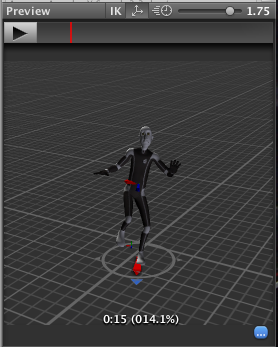
您可以使用 Animator.MatchTarget 函数来处理此类情况。例如,想象一下,你想要设置这样一种情境:角色跳上一个平台,并且你已经有了一个为此设计的动画片段,名为 Jump Up 的动画剪辑。首先,您需要在动画剪辑中找到角色将要离开地面的位置,注意在本示例中,此位置位于动画剪辑中标准化时间的 14.1% 或 0.141 处:
您还需要在动画剪辑中找到角色即将落地的位置,在本示例中,此位置为 78.0% 或 0.78。
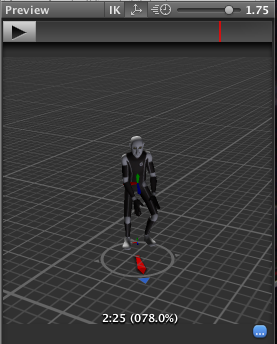
凭借此信息,即可创建调用 MatchTarget 的脚本,并可将其附加到模型:
using UnityEngine;
using System;

[RequireComponent(typeof(Animator))]
public class TargetCtrl : MonoBehaviour {

    protected Animator animator;

    //the platform object in the scene
    public Transform jumpTarget = null;
    void Start () {
        animator = GetComponent<Animator>();
    }

    void Update () {
        if(animator) {
            if(Input.GetButton("Fire1"))
                animator.MatchTarget(jumpTarget.position, jumpTarget.rotation, AvatarTarget.LeftFoot,
                                                       new MatchTargetWeightMask(Vector3.one, 1f), 0.141f, 0.78f);
        }
    }
}
该脚本将移动角色,使其从当前位置跳跃并以左脚落在目标上。请记住,使用 MatchTarget 函数的结果通常仅在游戏的正确点调用该函数时才有意义。