类型选择器
USS 类型选择器根据它们的元素类型匹配元素。USS 类型选择器类似于匹配 HTML 标签的 CSS 类型选择器。例如,USS 中的 Button {...} 匹配任何 Button 元素,相当于 CSS 中的 p {...} 匹配任何段落 (<p>) 标签。
语法
以下是类型选择器的语法:
TypeName { ... }
编写类型选择器时,仅指定具体的对象类型。不要在类型名称中包含命名空间。
例如,这个选择器是有效的:
Button { ... }
这个选择器是无效:
UnityEngine.UIElements.Button { ... }
示例
下方是一个__ UI__(即用户界面,User Interface)让用户能够与您的应用程序进行交互。Unity 目前支持三种 UI 系统。更多信息
See in Glossary 文档示例,演示了简单选择器如何与元素匹配。
<UXML xmlns="UnityEngine.UIElements">
  <VisualElement name="container1">
    <VisualElement name="container2" class="yellow">
      <Button name="OK" class="yellow" text="OK" />
      <Button name="Cancel" text="Cancel" />
    </VisualElement>
  </VisualElement>
</UXML>
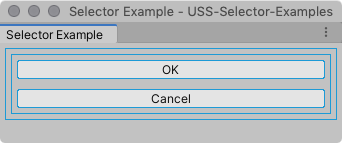
如果未应用样式,则 UI 如下所示:
以下类型选择器样式规则匹配两个 Button 元素:
Button {
  border-radius: 8px;
  width: 100px;
  }
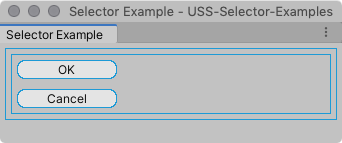
应用样式时,UI 如下所示: