在 URP 中编写带有颜色输入的无光照着色器
此示例中的 Unity 着色器将基色 (Base Color) 属性添加到材质。可以使用该属性选择颜色,然后着色器就会使用这一颜色填充网格形状。
使用 URP 无光照基本着色器一节中的 Unity 着色器源文件,并对__ ShaderLab__Unity 用于定义着色器对象结构的语言。更多信息
See in Glossary 代码进行以下更改:
-
将
_BaseColor属性定义添加到 Properties 代码块:Properties { [MainColor] _BaseColor("Base Color", Color) = (1, 1, 1, 1) }此声明将带有 Base Color 标签的
_BaseColor属性添加到材质: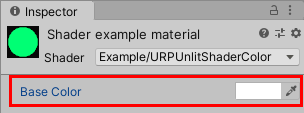
材质的 Base Color 属性 使用
[MainColor]特性声明属性时,Unity 会使用此属性作为材质的主色。注意:出于兼容性原因,
_Color属性名称是保留名称。Unity 使用名称为_Color的属性作为主色,即使它没有[MainColor]特性也是如此。 -
在 Properties 代码块中声明一个属性时,也需要在 HLSL 代码中声明它。
注意:为确保 Unity 着色器与 SRP 批处理程序 (SRP Batcher) 兼容,请使用
UnityPerMaterial名称在单个CBUFFER代码块中声明所有材质属性。有关 SRP 批处理程序的更多信息,请参阅有关可编程渲染管线 (SRP) 批处理程序的文档。在顶点着色器之前添加以下代码:
CBUFFER_START(UnityPerMaterial) half4 _BaseColor; CBUFFER_END -
更改片元着色器中的代码,使其返回
_BaseColor属性。half4 frag() : SV_Target { return _BaseColor; }
现在可以在检视面板 (Inspector) 窗口的 Base Color 字段中选择颜色。片元着色器使用您选择的颜色来填充网格。
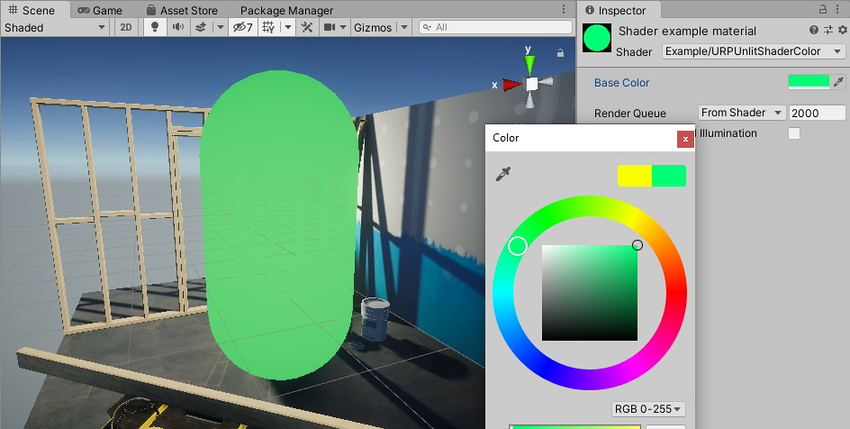
以下是此示例的完整 ShaderLab 代码。
// This shader fills the mesh shape with a color that a user can change using the
// Inspector window on a Material.
Shader "Example/URPUnlitShaderColor"
{
// The _BaseColor variable is visible in the Material's Inspector, as a field
// called Base Color. You can use it to select a custom color. This variable
// has the default value (1, 1, 1, 1).
Properties
{
    [MainColor] _BaseColor("Base Color", Color) = (1, 1, 1, 1)
}
SubShader
{
Tags { "RenderType" = "Opaque" "RenderPipeline" = "UniversalPipeline" }
Pass
{
HLSLPROGRAM
#pragma vertex vert
#pragma fragment frag
#include "Packages/com.unity.render-pipelines.universal/ShaderLibrary/Core.hlsl"
struct Attributes
{
float4 positionOS : POSITION;
};
struct Varyings
{
float4 positionHCS : SV_POSITION;
};
// To make the Unity shader SRP Batcher compatible, declare all
// properties related to a Material in a a single CBUFFER block with
// the name UnityPerMaterial.
CBUFFER_START(UnityPerMaterial)
// The following line declares the _BaseColor variable, so that you
// can use it in the fragment shader.
half4 _BaseColor;
CBUFFER_END
Varyings vert(Attributes IN)
{
Varyings OUT;
OUT.positionHCS = TransformObjectToHClip(IN.positionOS.xyz);
return OUT;
}
half4 frag() : SV_Target
{
// Returning the _BaseColor value.
return _BaseColor;
}
ENDHLSL
}
}
}
绘制纹理一节展示了如何在网格上绘制纹理。