Change how lights fade using light falloff in URP
To create a unique visual style in your scene, you can change the light falloff function in URP for real-time and baked lighting.
This example replaces the default URP light falloff function with a quadratic falloff function, which has a different visual style. You can modify the functions mentioned on this page to achieve other visual styles. The quadratic light falloff function has a similar behavior to the falloff function in the Built-In Render Pipeline.
Prepare URP source code for modification
This customization requires modifying URP source code. For instructions, refer to Modify URP source code.
Change light falloff for real-time lights
To modify the light falloff behavior for real-time lights:
-
Open the following HLSL file:
Packages/com.unity.render-pipelines.universal/ShaderLibrary/RealtimeLights.hlsl -
Modify the
DistanceAttenuationmethod. Use the following code:// The quadratic falloff function provides a visual style // similar to the Built-In Render Pipeline light falloff. float DistanceAttenuation(float distanceSqr, float2 distanceAndSpotAttenuation) { // Calculate the linear distance from the squared distance value. float distance = sqrt(distanceSqr); // Calculate the range of the light by taking the inverse square root of the attenuation parameter. float range = rsqrt(distanceAndSpotAttenuation.x); // Normalize the distance to a value between 0 and 1 (1 at the source, 0 at the max range). float distance01 = saturate(1.0f - (distance / range)); // Apply quadratic falloff. float lightAtten = pow(distance01, 2.0f); // Smooth the falloff across the entire range for a more gradual and natural fade. float smoothFactor = smoothstep(0.0f, 1.0f, distance01); lightAtten *= smoothFactor; return lightAtten; } -
Modify the
AngleAttenuationmethod. Use the following code:float AngleAttenuation(float3 spotDirection, float3 lightDirection, float2 spotAttenuation) { // Compute the cosine of the angle between spotlight and surface. float SdotL = dot(spotDirection, lightDirection); // Linearly interpolate attenuation between the inner and the outer cone. float atten = saturate(SdotL * spotAttenuation.x + spotAttenuation.y); // Apply cubic smoothing for a gradual edge falloff. atten = atten * atten * (3.0f - 2.0f * atten); return atten; }
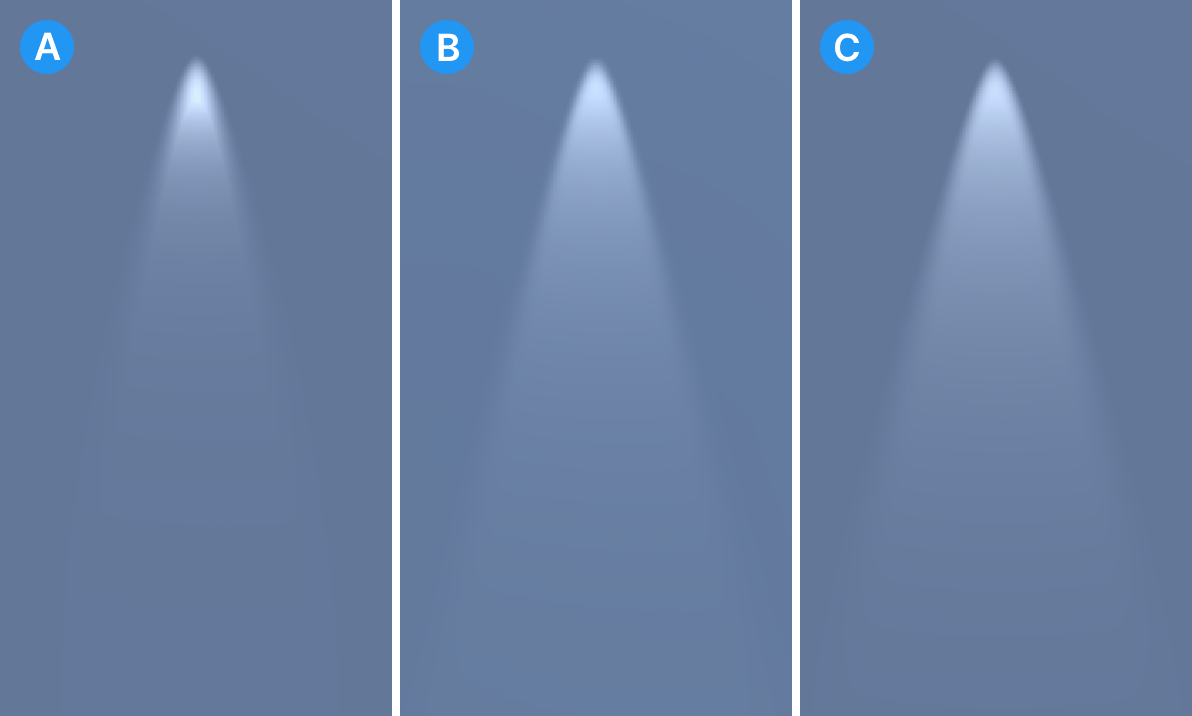
The following illustration compares the default URP light falloff, the custom light falloff function in this example, and the light falloff in the Built-In Render Pipeline.
Change light falloff for baked lights
To ensure that the look of the baked lighting in your project matches the look of real-time lighting, change the light falloff of the baked lights.
-
Open the following file:
Packages/com.unity.render-pipelines.universal/Runtime/UniversalRenderPipelineCore.cs -
Change the
lightData.falloffvalue to FalloffType.Legacy:lightData.falloff = FalloffType.Legacy;
The value FalloffType.Legacy uses quadratic attenuation, which matches the real-time falloff in this example. You can use other values to match the real-time lighting in your project.
For more information on changing the light falloff function in baked lighting, refer to Change the fade distance of lights with fall-off