Lighting Mode
To control the behaviour of all the lights in a scene that have a Light Mode of Mixed, set the Lighting Mode in the Lighting Settings Asset.
There are four options for Lighting Mode, in order of visual fidelity:
- Distance Shadowmask mode renders realistic lighting at a long distance, but has the most performance impact. You can use this mode for open worlds on high-end or mid-range platforms.
- Shadowmask mode is similar to Distance Shadowmask but has fewer real-time shadows and less performance impact.
- Baked Indirect mode renders realistic lighting and realtime shadows.
- Subtractive mode renders simple lighting and low-fidelity shadows, but has a low performance impact. You can use this mode for low-end hardware, simple scenes with few lights, or stylized art such as cel shading.
For information about which render pipeline supports which Lighting Mode, refer to Render pipeline feature comparison reference.
How Unity calculates lighting
The following table shows how Unity calculates lighting from Mixed lights for each Lighting Mode.
| Lighting from Mixed lights | Baked Indirect Lighting Mode | Shadowmask Lighting Mode | Distance Shadowmask Lighting Mode | Subtractive Lighting Mode |
|---|---|---|---|---|
| Direct lighting | Real-time | Real-time | Real-time | Real-time for dynamic GameObjects, baked for static GameObjects. |
| Indirect lighting | Baked | Baked | Baked | Baked |
| Specular highlights | Real-time | Real-time | Real-time | Dynamic GameObjects only |
| Shadows from dynamic GameObjects, up to Shadow Distance | Real-time | Real-time | Real-time | Real-time, from the single highest-intensity Directional Light only |
| Shadows from static GameObjects, up to Shadow Distance | Real-time | Baked, from a maximum of 4 lights per GameObject | Real-time | Baked |
| Shadows from static GameObjects, beyond Shadow Distance | No shadows | Baked, from a maximum of 4 lights per GameObject | Baked, from a maximum of 4 lights per GameObject | Baked |
Where Unity stores lighting data
Unity stores baked indirect lighting in the following places:
- Light Probes store indirect lighting of dynamic GameObjects.
- Lightmap textures store indirect lighting of static GameObjects. In Subtractive mode, lightmap textures also store direct lighting.
Unity stores shadows in the following places:
- Shadowmap textures store real-time shadows, if the Lighting Mode supports them.
- Light Probes and shadow mask textures store baked shadows from static GameObjects, if the Lighting Mode supports them. In Subtractive mode, lightmaps store them instead.
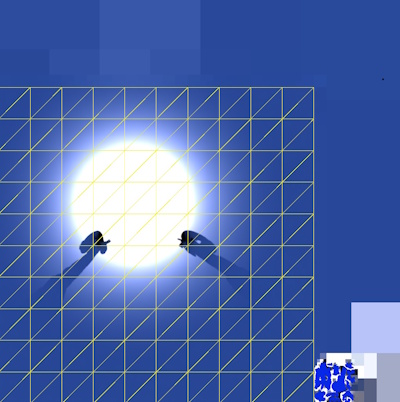
In Subtractive mode, real-time and baked shadows might not blend correctly, because lightmaps don’t contain enough data to calculate blending accurately. To improve blending, adjust the Realtime Shadow Color setting in the Lighting window.
Shadow mask textures
If you select Shadowmask mode or Distance Shadowmask mode, Unity creates shadow mask textures to store baked shadows for static GameObjects. Each shadow mask texture stores occlusion information about baked lights, and has the following characteristics:
- Uses the same UV layout and resolution as its corresponding lightmap texture.
- Stores up to four lights per texel, with each light stored in an RGBA channel.
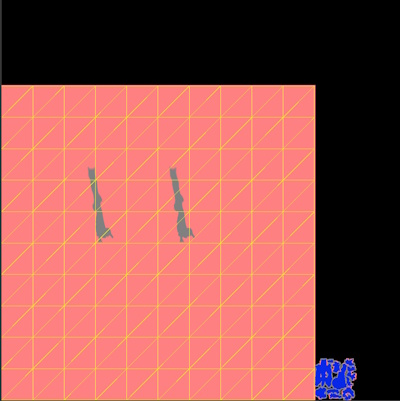
If more than four lights overlap each other at any point in space, Unity bakes the remaining lights. If you bake again, the same lights stay baked unless you change the overlapping lights. To check which lights overlap, use the Light Overlap Debug Draw Mode for lighting.