Forward and Forward+ rendering paths in URP
The Universal Render Pipeline (URP) has the following forward rendering paths:
- Forward
- Forward+
Forward rendering path
The Forward rendering path is the default rendering path in URP. Unity lights each GameObject in turn, and there’s a limit to the number of lights that can affect each GameObject.
Forward+ rendering path
The Forward+ rendering path is similar to the Forward rendering path, but there’s no limit to the number of lights that can affect each GameObject. There’s still a limit on the number of lights visible per-camera.
Using the Forward+ rendering path reduces the number of lights Unity calculates for each GameObject. Unity divides the screen into tiles, then identifies which lights affect which tiles. When Unity calculates the lighting for a GameObject, it uses only the lights that affect the tile the GameObject is in.
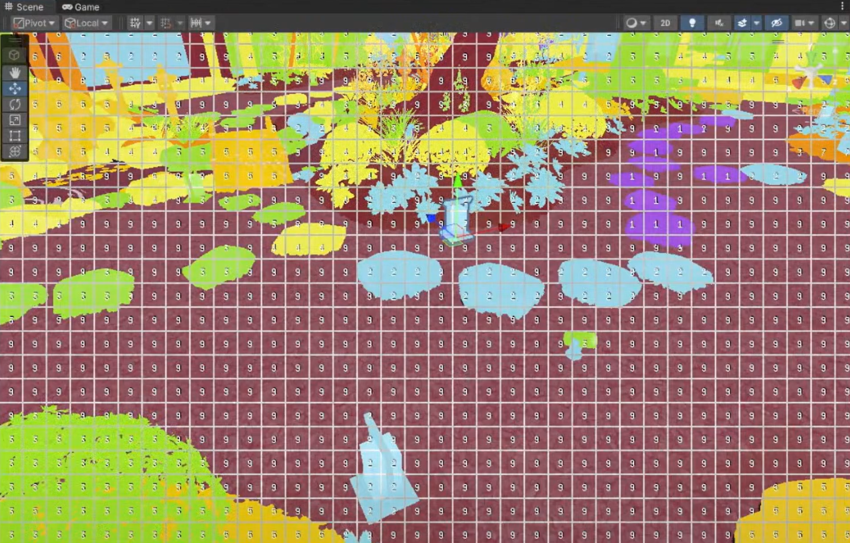
Unity ignores the following settings if you select the Forward+ rendering path:
- Additional Lights in the URP asset.
- Main Light in the URP asset.
- Additional Lights > Per Object Limit in the URP asset.