Humanoid Avatar
Unity’s Animation System has special features for working with humanoid characters. Because humanoid characters are so common in games, Unity provides a specialized workflow, and an extended tool set for humanoid animations.
The Avatar system is how Unity identifies that a particular animated model is a humanoid, and which parts of the model correspond to the legs, arms, head, and body.
Because of the similarity in bone structure between different humanoid characters, it is possible to map animations from one humanoid character to another.
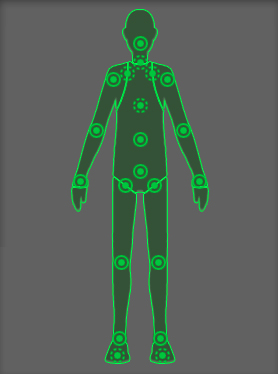
The following topics provide more details on humanoid animation and root motion:
| Topic | Description |
|---|---|
| Retarget humanoid animation | Reuse humanoid clips on different models after you configure each Avatar. |
| Inverse Kinematics | Use inverse kinematics to pose joints from a fixed point. |
| How Root Motion works | Learn how body and root transforms drive character motion from clips. |
| Scripting Root Motion | Move characters from in-place clips using curves, controllers, and the OnAnimatorMove API. |
| Avatar Mapping tab reference | Reference for mapping bones to the humanoid Avatar. |
| Avatar Muscle and Settings tab reference | Reference for muscle limits, previews, and range-of-motion settings on an Avatar. |
| Avatar Mask window reference | Reference for masking humanoid body regions or transform paths in animation. |
| Human Template window reference | Reference for editing saved Human Template bone mappings. |