Animator Controller Asset
Use an Animator Controller asset to maintain a set of animations for a character or object.
Animator Controller assets are created from the Assets menu, or from the Create menu in the Project window.
In most situations, it’s normal to have multiple animations and transition between them when certain game conditions occur. For example, you could transition from a walk animation to a jump whenever the spacebar is pressed. However, even if you just have a single animation clip, you still need to place it into an Animator Controller to use it on a Game Object.
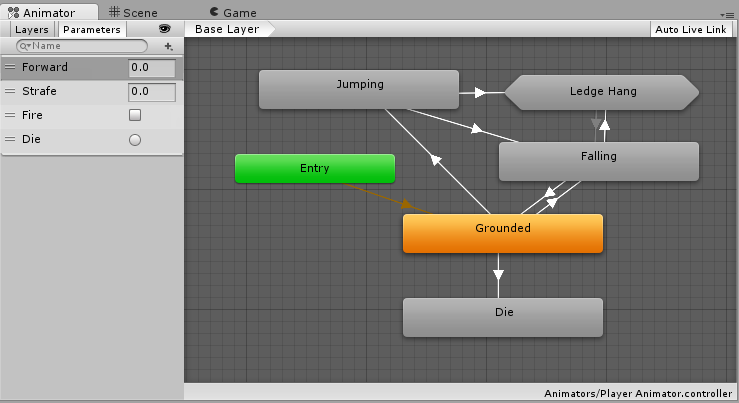
The Animator Controller has references to the Animation clips it uses. The Animator Controller manages the various Animation Clips and the Transitions between them using a State Machine, which could be thought of as a flow-chart of Animation Clips and Transitions. You can find more information about state machines here.
Unity automatically creates an Animator Controller when you begin animating a GameObject using the Animation Window, or when you attach an Animation Clip to a GameObject.
To manually create an Animator Controller, right-click within either column of the Project window and select Create > Animator Controller.