Install UI Toolkit and sample projects
Table of Contents
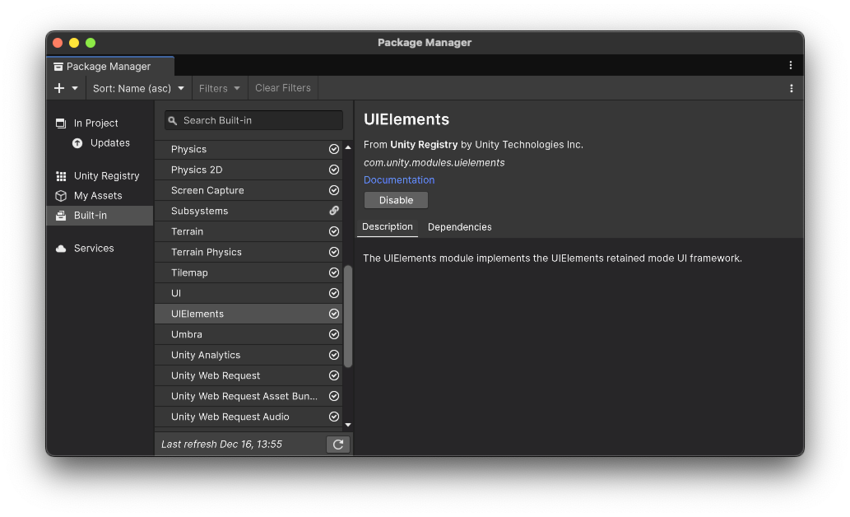
UI Toolkit is integrated into the core Unity 6 platform, which means that you don’t need to install a separate package to use it with version Unity 6 and later. Starting a new project from one of the templates available will be sufficient to be able to follow the content of this guide.
This e-book primarily uses the following samples to show and explain__ UI__(即用户界面,User Interface)让用户能够与您的应用程序进行交互。Unity 目前支持三种 UI 系统。更多信息
See in Glossary Toolkit capabilities in Unity projects. Each sample is available to download for free from the Unity__ Asset Store__由 Unity 和社区成员创建的免费和付费的资产库,其规模处于不断壮大中。提供各种资产,涵盖了从纹理、模型和动画到完整项目示例、教程和编辑器扩展等类型。更多信息
See in Glossary.
UI Toolkit Sample – Dragon Crashers
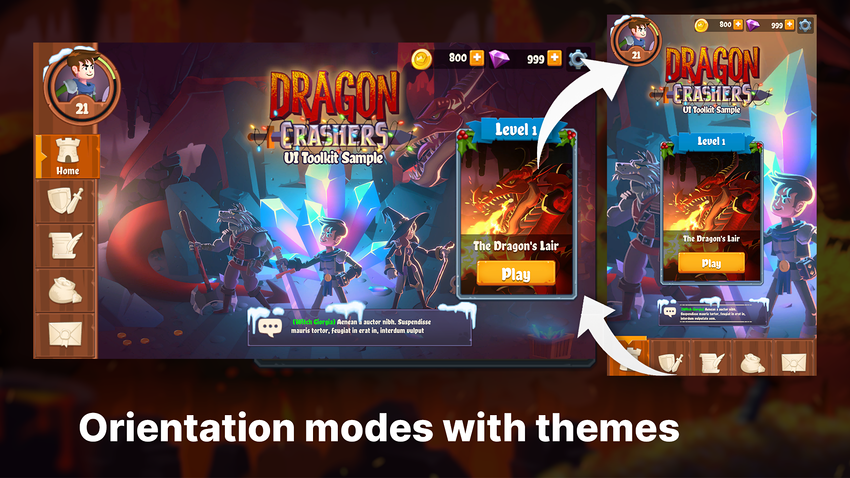
This demo uses the latest UI Toolkit workflow at runtime for a full-featured interface, including a front-end menu system, over a slice of the 2D project Dragon Crashers, a mini-RPG.
This demo is not meant for beginners. It was created for experienced Unity developers who have the capabilities to look at the UI structure and navigate the demo to observe specific implementations. This demo was originally released for Unity 2021 LTS and has since been updated to Unity 6. Here are some of the topics you can learn more about in the demo:
- Project structure and naming conventions
- Use of themes to create UI variations and add support for both portrait and landscape orientations
- Complex elements like tabbed menus, inventories, messages, or custom controls
- Use of the SafeAreaAPI to ensure content on mobile screens is displayed within the safe area
- Use of Localization for multiple language support
- Data Binding for simplifying the synchronization of data with UI components
- Examples of how to implement common casual game interfaces
You can find a video walkthrough of the sample and download it from the Asset Store.
QuizU
The QuizU demo showcases an interactive quiz game built with Unity’s UI Toolkit. Aimed at UI developers, this project highlights UI Toolkit workflows, event-driven architecture, and reusable design patterns for building modern game user interfaces. This demo shows how to:
- Structure UI elements efficiently using UXML files and nested visual trees.
- Apply styling rules using USS selectors and pseudo-classes to make your interactive elements react to user input.
- Use the FlexBox feature for flex-based layouts for responsive UI behavior.
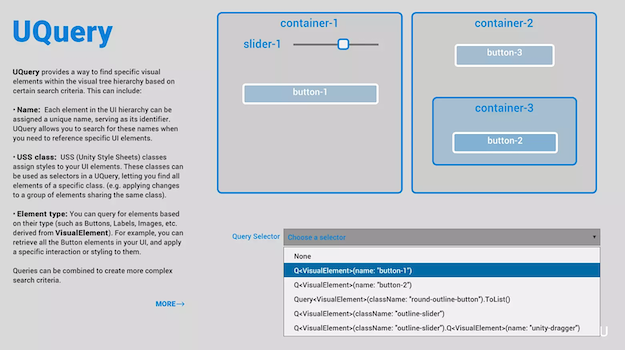
- Query and modify UI elements dynamically using selectors.
- Encapsulate event handling in reusable classes, enabling custom interactions like dragging or multi-touch gestures.
- Use Event Dispatch to process events in phases and how to manage propagation.
- Use USS Transitions to add smooth animations and effects to UI elements with properties like duration and easing.
Originally released for Unity 2022 LTS, QuizU has been updated with new features in Unity 6. The project now includes how-to demos on creating custom controls, setting up data binding, and implementing localization.
You can download the project from the Asset Store.