Bindings
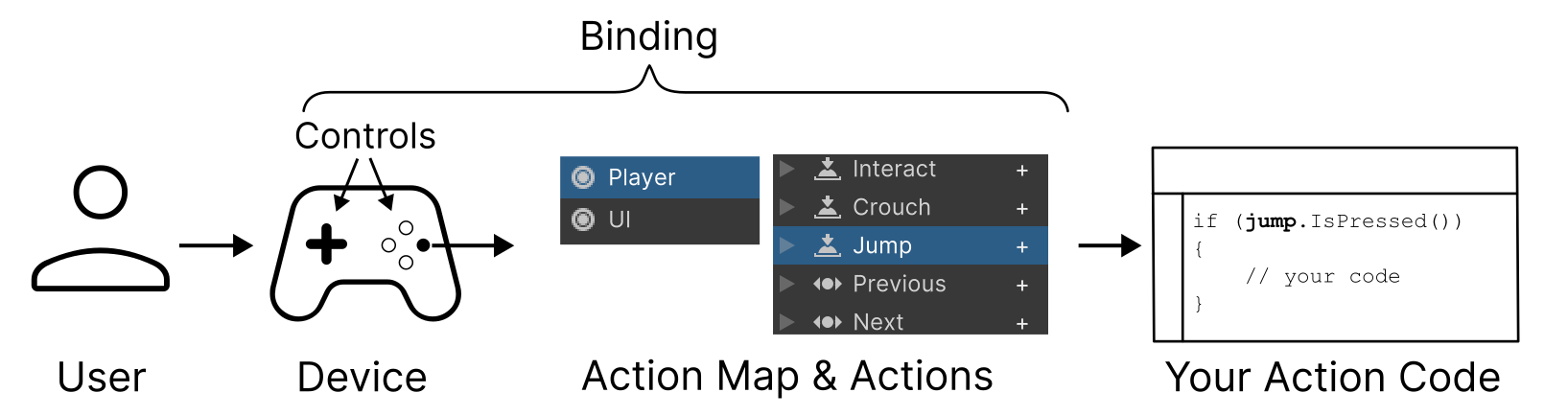
A binding represents a connection between an Action and one or more Controls identified by a Control path.
| Topic | Description |
|---|---|
| Introduction to bindings | Learn the basic concepts of bindings. |
| Binding types | Configure how bindings map to actions with binding types. |
| Composite bindings | Bindings made up of multiple simple bindings acting together. |
| Add, duplicate or delete a binding | Learn how to add, duplicate or delete bindings. |
| Select a control for binding | Learn how to choose a specific control that a binding is bound to, such as a specific button or stick on a gamepad, or a specific keyboard key. |
| Edit composite bindings | Add, edit, and delete composite bindings in the Actions Editor window. |
| Group bindings to control schemes | Group types of related bindings together according to their control type, so that you can enable or disable groups of bindings |
| Binding resolution | Learn how the Input Systems resolves binding configurations to currently-connected input devices. |
| Restrict binding resolution to a specific device | Specify which devices a binding should resolve to. |
| Binding conflicts | Learn how the Input System resolves conflicting or ambiguous situations, such as when multiple bindings map to the same action. |
| Initial state checks | Learn how the Input System deals with if a control is already pressed when an action is enabled, and how to modify this behavior. |