Introduction to bindings
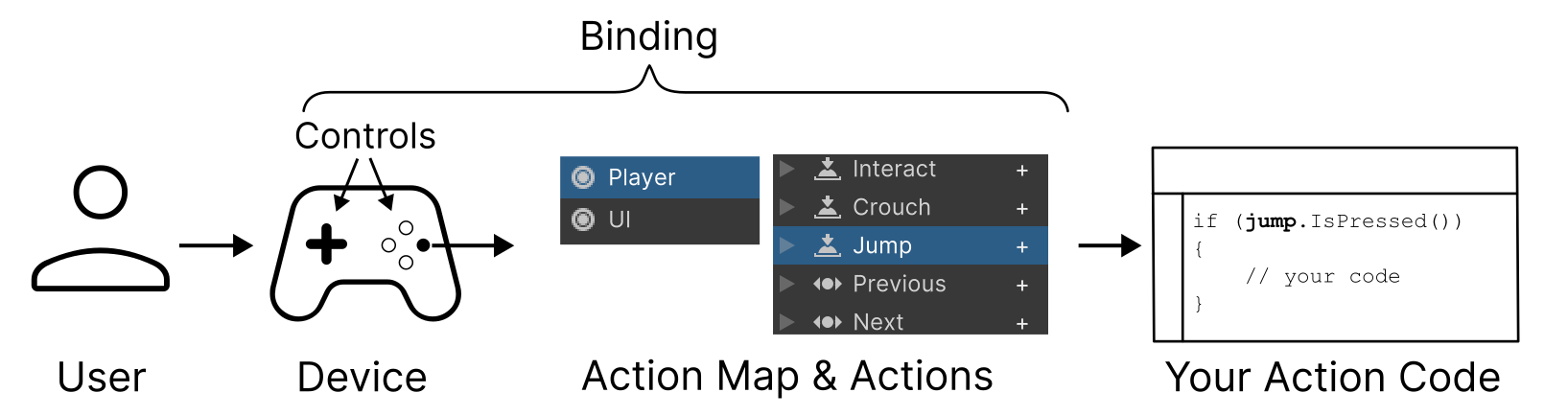
A binding represents a connection between an Action and one or more Controls identified by a Control path. For example, the right trigger of a gamepad (a control) might be bound to an an action named "accelerate", so that pulling the right trigger causes a car to accelerate in your game.
You can add multiple bindings to an action, which is generally useful for supporting multiple types of input device. For example, in the default set of actions, the "Move" action has a binding to the left gamepad stick and the WASD keys, which means input through any of these bindings will perform the action.
You can also bind multiple controls from the same device to an action. For example, both the left and right trigger of a gamepad could be mapped to the same action, so that pulling either trigger has the same result in your game.
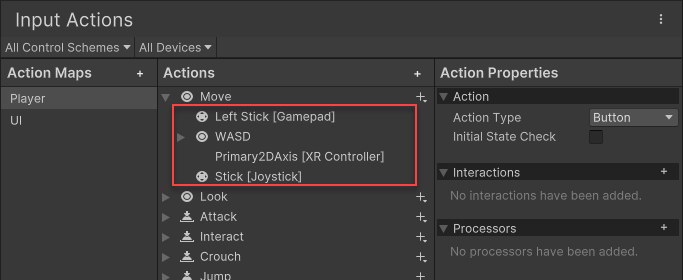
The default "Move" action in the Actions Editor window, displaying the multiple bindings associated with it.
You can also set up Composite bindings, which don't bind to the controls themselves, but receive their input from Part Bindings and then return a value representing a composition of those inputs. For example, the right trigger on the gamepad can act as a strength multiplier on the value of the left stick.