Reply to threads and mention people
Use threads to discuss your project with collaborators. This page explains how to open threads, reply, and use mentions and hashtags in your comments.
Open a thread
You can open a thread from either side of the Editor:
- From the Scene View: Select the thread's comment bubble. A floating panel opens over the Scene View with the conversation. (Bubbles must be visible. For more information, refer to Comment bubbles in the Scene View.)
- From the Collaboration window: Select the thread's row. The conversation opens inside the window; select ← Back to return to the list.
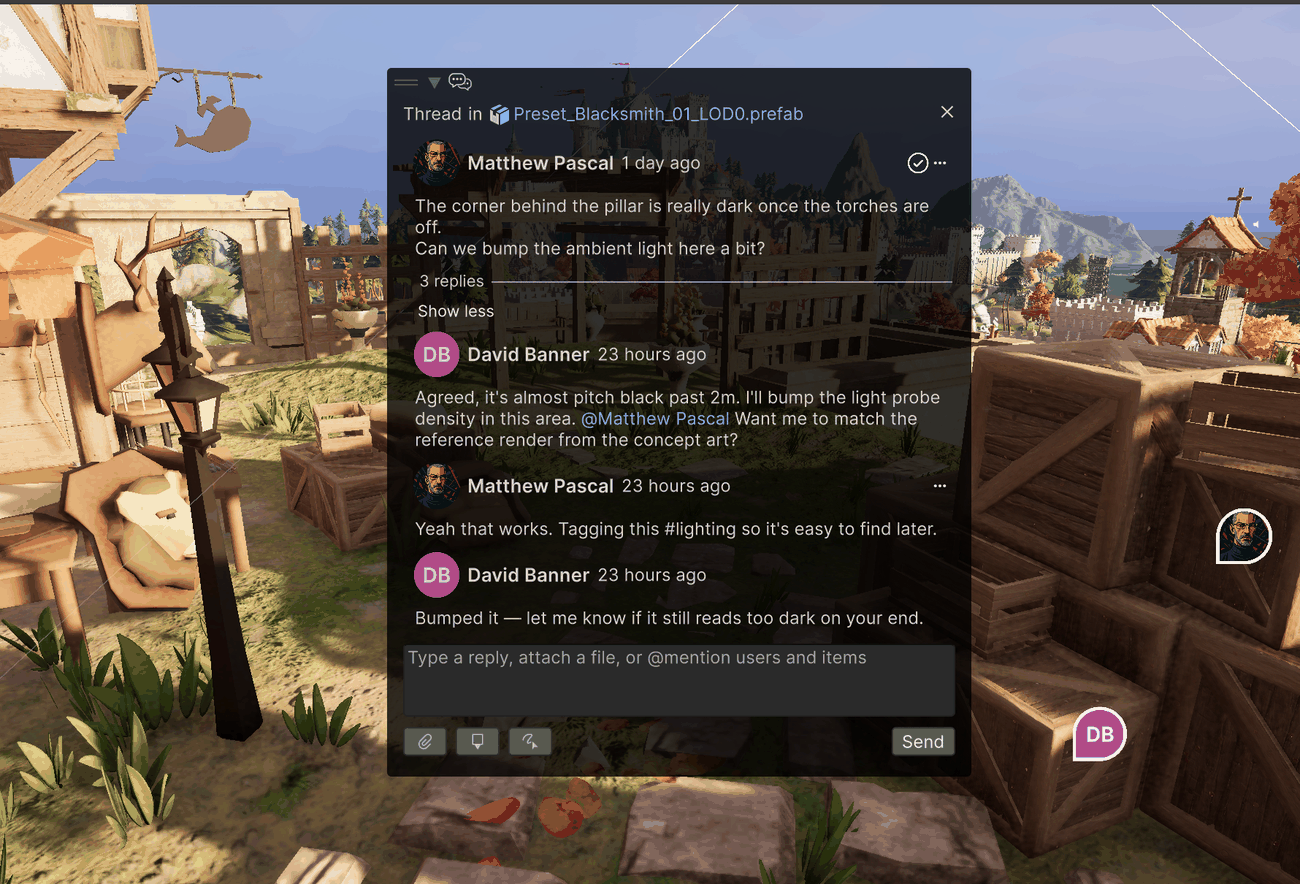
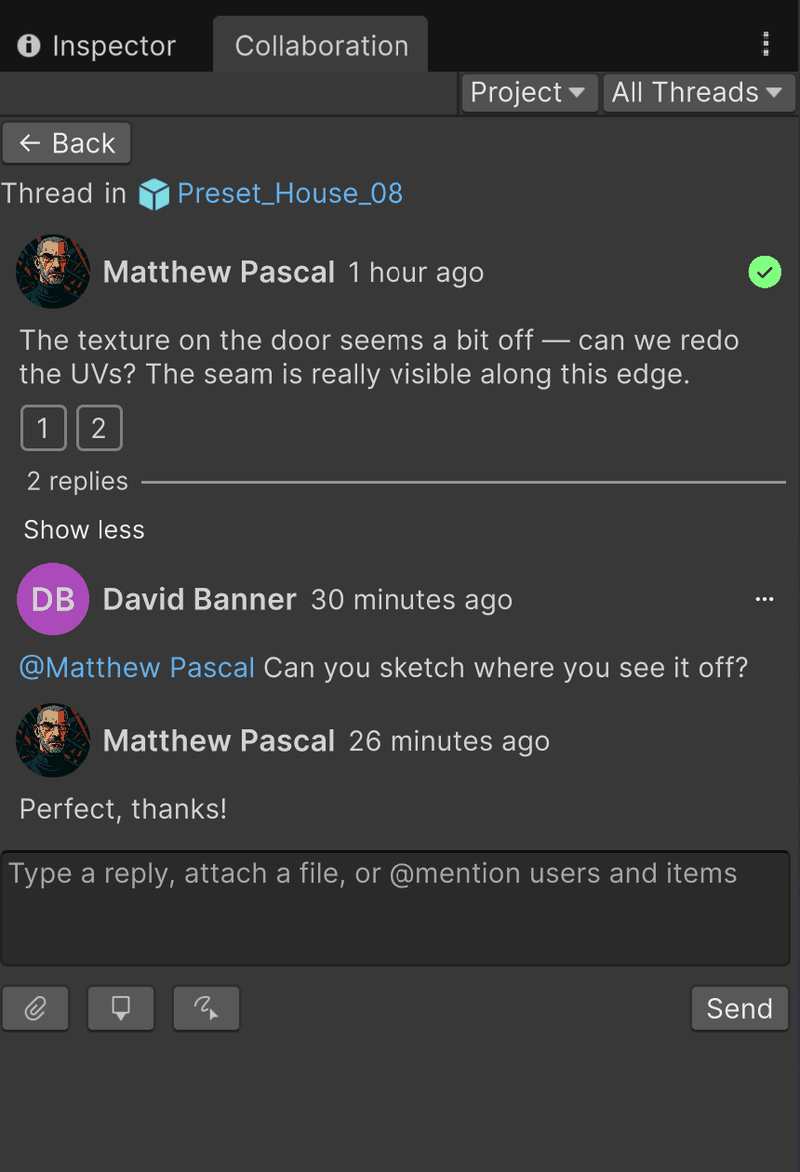
Both views show the original comment, every reply with its author and time, and a reply field at the bottom.
Reply
- Type your reply in the reply field at the bottom of the thread.
- Select Send, or press Enter.
Enter sends your reply. To start a new line instead, press Shift+Enter or Ctrl+Enter (Cmd+Enter on macOS).
Replies can carry attachments and sketches, the same as the first comment in a thread.
Mention people and assets
Type @ anywhere in a comment to open the suggestion list, which shows your project's members and assets. Keep typing to narrow the list, then select an entry or press Enter to insert the mention.
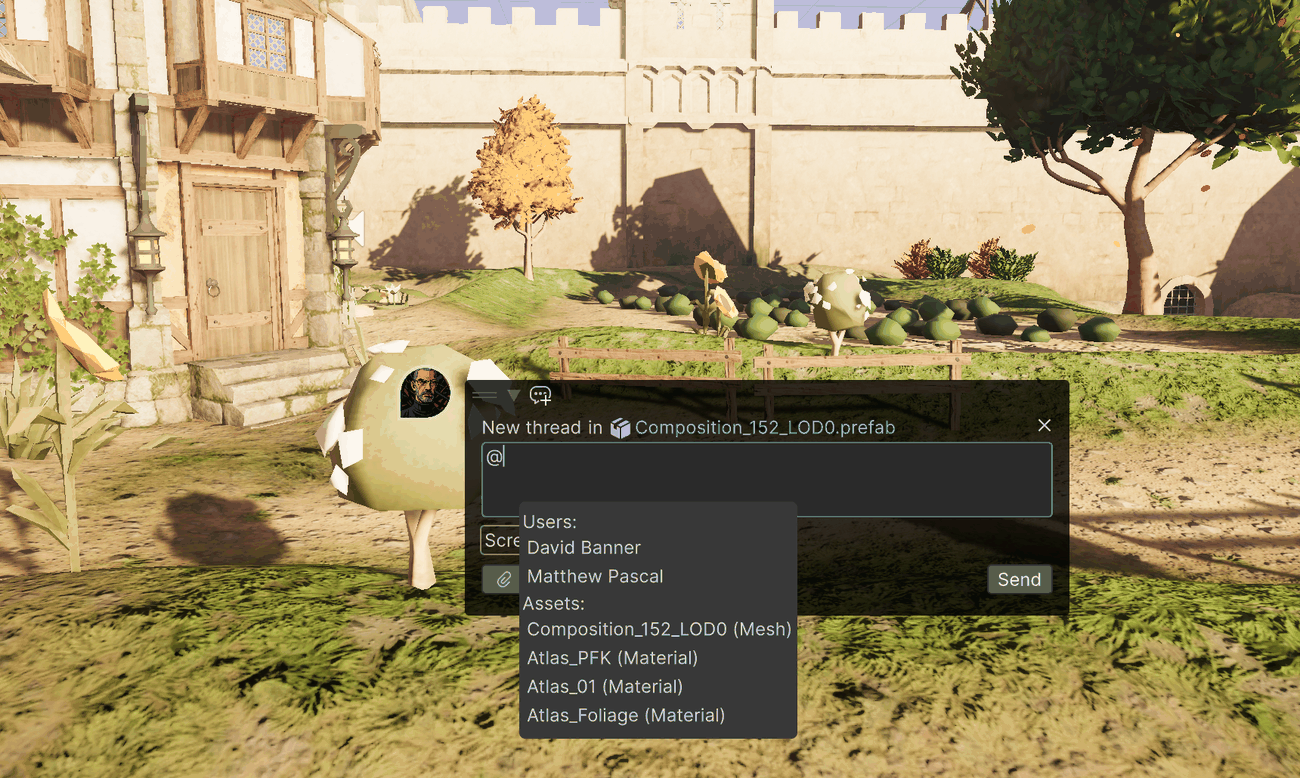
Mentions render as colored links in the finished comment:
- A person mention names a teammate.
- An asset mention links an asset. Select it in a comment to highlight that asset in the Project window.
To abandon a mention you started, press Backspace to delete the @ character, or keep typing until nothing matches.
Note
If a mentioned object no longer exists, its mention renders as plain text. If the Editor can't currently confirm the object (for example, it lives in a scene that you haven't loaded), the mention keeps its stored name.
Hashtags
You can type # to add a hashtag the same way. The suggestion list opens with previously used tags. Hashtags act as lightweight labels you can spot when scanning a thread list.