Draw sketches
Use sketches to give visual feedback on your scenes and assets. A sketch attachment lets you draw freehand strokes directly over the Scene View (for scene threads) or over the asset's preview (for asset threads), and send the drawing with your comment.
Sketch over the Scene View
- In a comment field on a scene thread, select Add sketch.
The Sketch settings window opens and the Scene View becomes your canvas. - Select a color, opacity, and brush size in the Sketch window (you can change them between strokes).
- Draw over the Scene View by dragging the pointer.
- When you finish drawing, select Save & Close in the Sketch window.
A sketch chip with a small preview of your drawing appears on the comment. - Select Send.
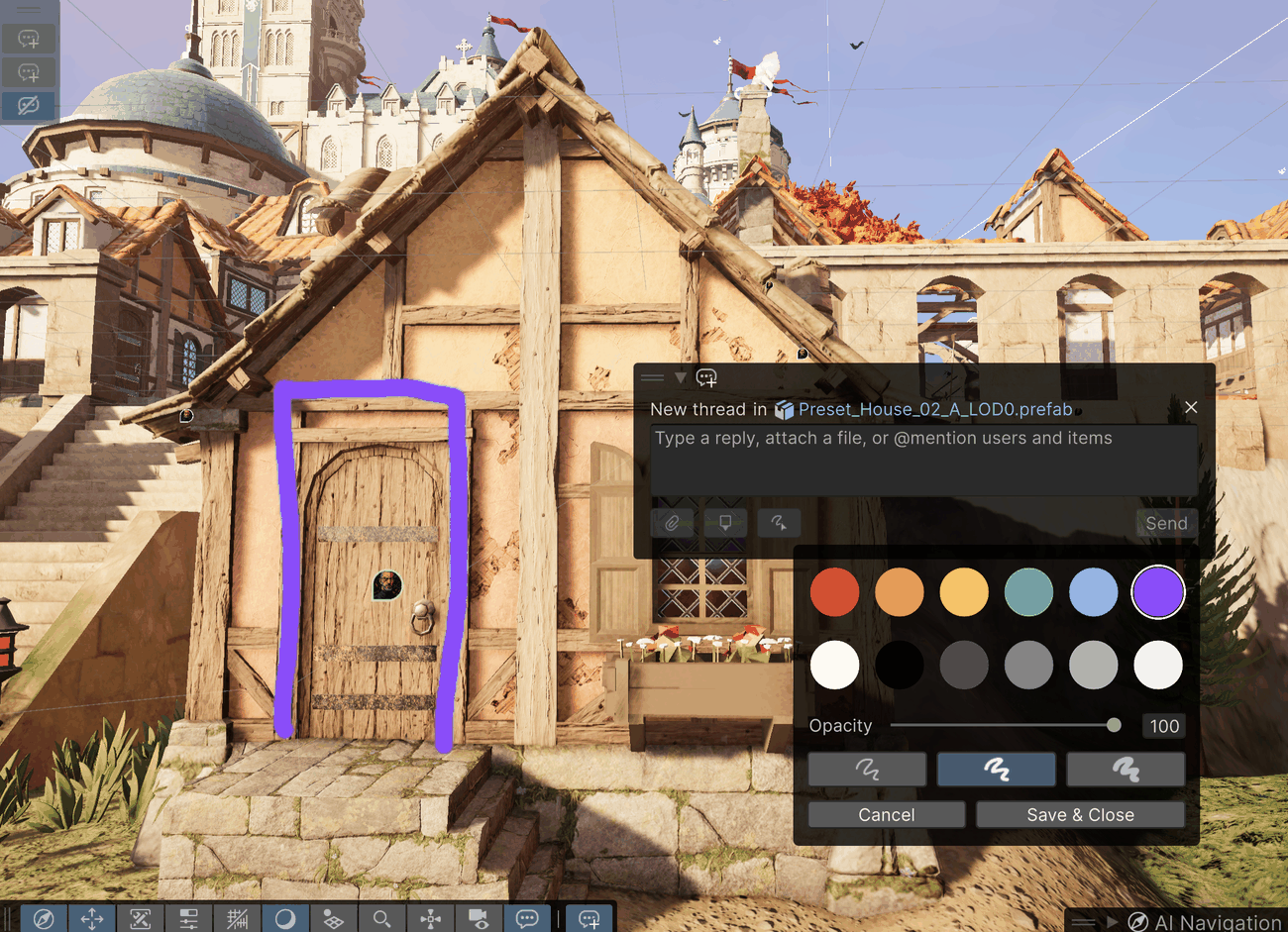
To discard the drawing instead, select Cancel in the Sketch window.
Sketch settings window
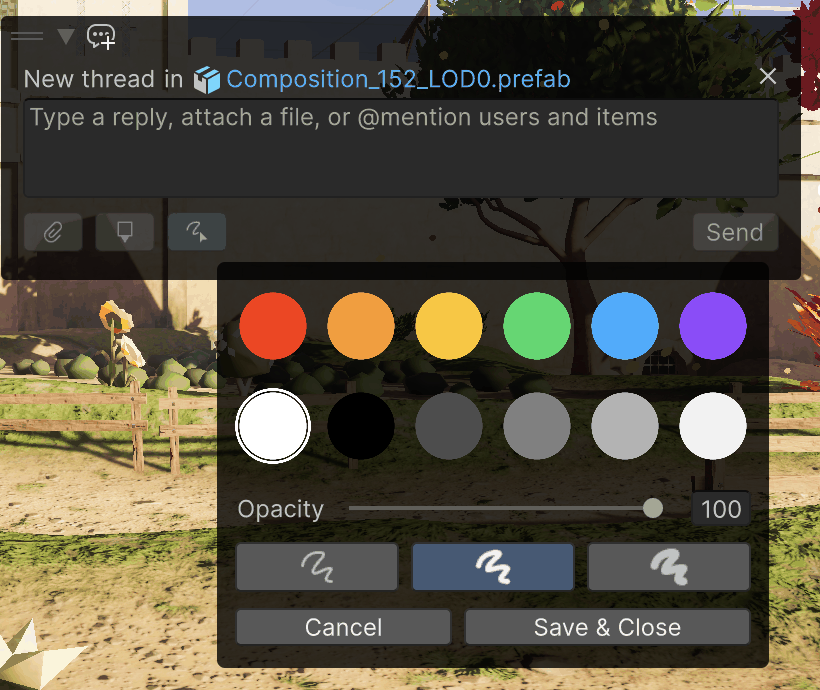
| Control | Description |
|---|---|
| Color swatches | Selects the stroke color from 12 preset colors. |
| Opacity | Sets the stroke opacity from 0 to 100. |
| Brush buttons | Selects a small, medium, or large brush. |
| Cancel | Discards the sketch and closes the window. |
| Save & Close | Attaches the sketch to your comment and closes the window. |
Sketch over an asset preview
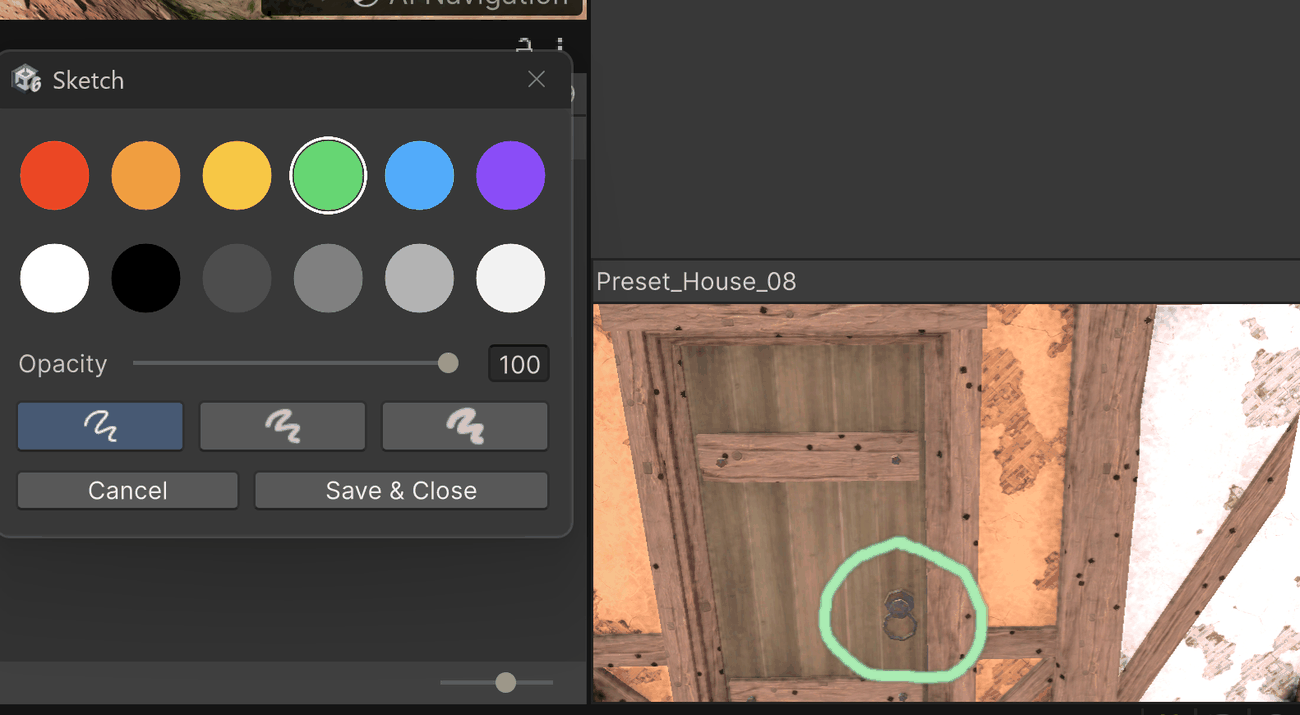
Asset threads also support sketches. When you select Add sketch while commenting on an asset, a preview of the asset opens as the canvas, with the same Sketch settings window. A Clear button above the canvas erases everything you've drawn so you can start over. The same preview panel is also where you place a spatial marker on one of these assets. Other asset types, like materials and textures, have no preview canvas to sketch on. Attach your feedback as an image attachment instead.
View a sketch on an existing comment
A comment that carries a sketch shows a chip with a preview of the drawing. Select the chip to view the sketch full-size, drawn over the same context the author made it in. This snaps the camera to the position the author created the sketch from, which gives collaborators the correct context in both scene and asset views.