Introduction to 2D Physics Core
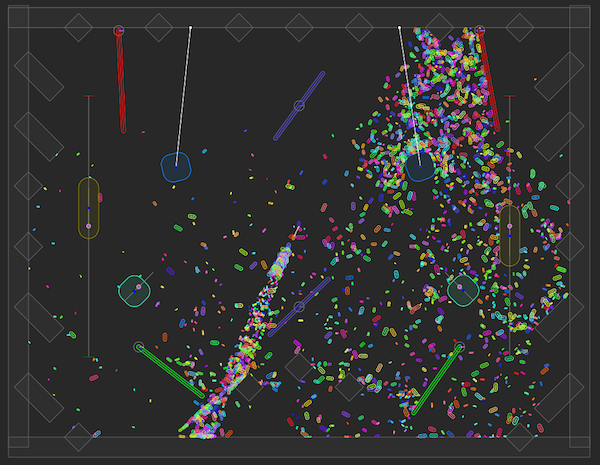
2D Physics Core components let you create and control 2D physics objects. They implement the Unity.U2D.Physics API, which builds on version 3 of the Box2D physics system.
Note: This documentation is about using Pose, Area, and Constraint components. To use 2D physics in the Unity Editor using components like the Rigidbody 2D component, refer to 2D physics instead.
2D Physics Core components and APIs don’t interact with or affect the built-in Unity 2D physics components such as Rigidbody 2D and Collider 2D. The two systems are separate. You can remove the standard 2D Physics package from your project if you use only 2D Physics Core.
Requirements
2D Physics Core works with the Universal Render Pipeline (URP), the High Definition Render Pipeline (HDRP), and the Built-In Render Pipeline.
About 2D Physics Core
2D Physics Core components and APIs have the following advantages over the standard 2D physics components:
- Create unlimited physics objects in your scene with or without using GameObjects.
- Click and drag to edit physics shapes and connections directly in the Scene view.
- Performance is better, because Unity stores data contiguously in memory and uses up to 64 CPU cores.
- The system is more deterministic, so you get the same results each time you run the simulation.
- Supports using 64 layers for collision detection, instead of the standard 32.
- Thread-safe, so you can use the job system to run physics code on multiple threads.
- Compatible with Unity’s Data-Oriented Technology Stack (DOTS).
Comparison with standard 2D Physics
| 2D physics component | 2D Physics Core component |
|---|---|
| Rigidbody 2D | Physics Pose |
| Collider 2D | Physics Area |
| Joint 2D | Physics Constraint |
| Composite Collider 2D | Physics Area Composite |
| Effector 2D | No equivalent. Apply forces with the Unity.U2D.Physics API. |
| Physics Material 2D | Properties in the Physics Area component |
Example projects
For example projects that use 2D Physics Core components, refer to the PhysicsCore2D repository on GitHub.