Comment on a project asset
You can comment on any asset in the Project window. Asset threads follow the asset, not any scene, and appear in the Collaboration window's Project mode. If the asset is a supported type, you can also add sketches using the asset preview at the bottom of the Collaboration window.
Before you start
- Select exactly one asset in the Project window. The context menu entry stays disabled for multi-selections and empty selections — but not for folders, since it only checks that one item is selected.
- You must connect the project to Unity Cloud (refer to Prerequisites).
From the Project window context menu
In the Project window, right-click the asset.
Select Comments > Create new thread for an asset.
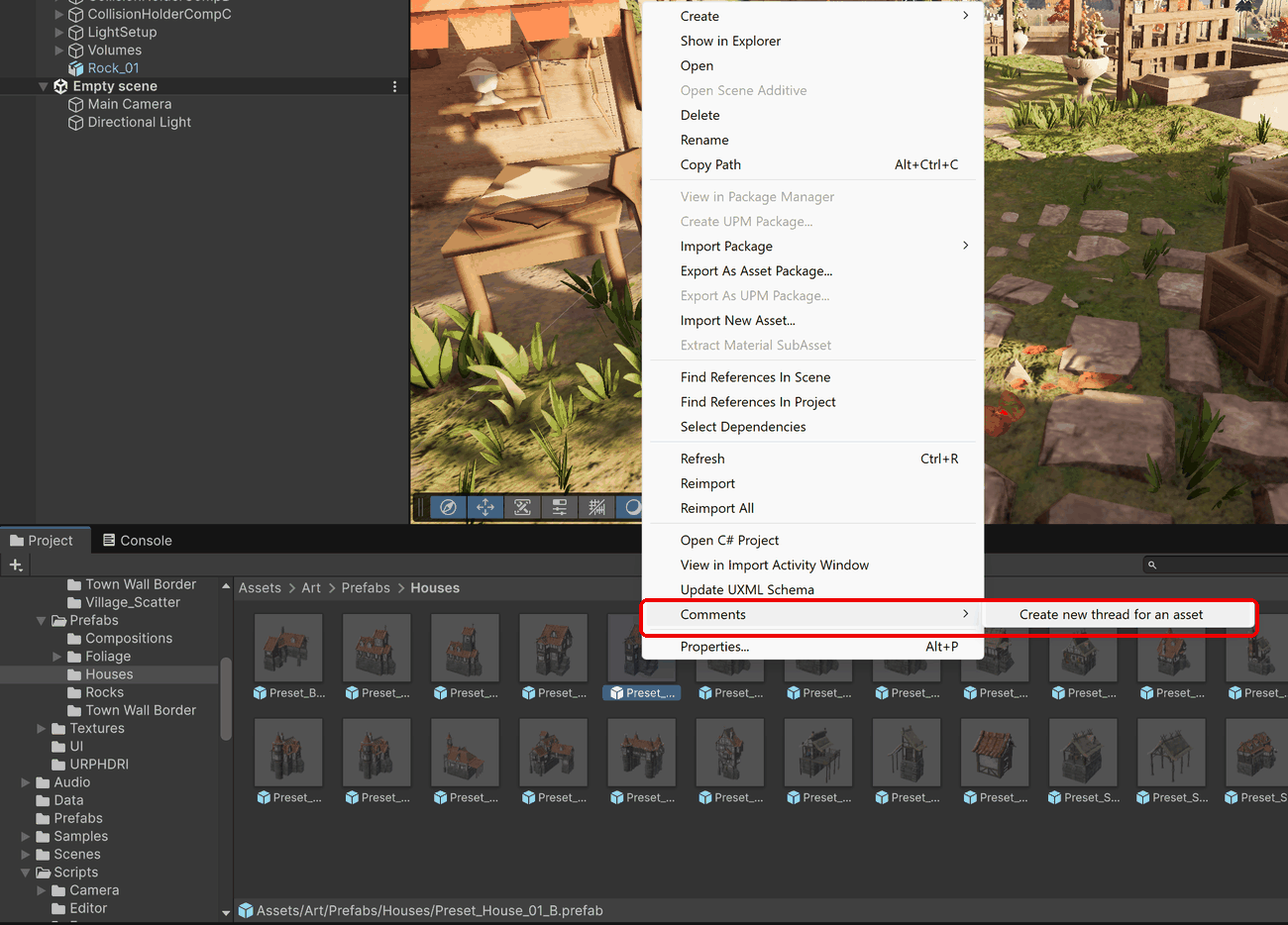
The Collaboration window opens (or comes into focus) with a comment field for the asset. The header confirms the target by showing the asset's icon and name.
Type your comment and select Send.
From the Collaboration window
When you select an asset in the Project window while the Collaboration window is open, the window scopes itself to that asset and always offers a comment field for it at the bottom. Type your comment and select Send, or press Enter.
Good to know
- Prefab Mode counts as selecting the prefab. While you're editing a prefab in Prefab Mode, the Collaboration window scopes to that prefab asset, and new threads you compose in the window attach to it.
- Version control aware. If your project is in a Unity Version Control (UVCS) workspace, new asset threads automatically record the repository and branch you created them on. This doesn't affect projects that don't use UVCS.
- No bubbles for assets. Asset threads don't anchor in any scene, so they never show a comment bubble in the Scene View. Find them in the window's Project mode instead.
Additional resources
- View and filter threads
- Draw sketches: Asset threads support sketches, which you draw over the asset's preview