Introduction to Addressable asset groups
Understand how to use groups to organize Addressable assets, control build paths, load paths, and AssetBundle packaging strategies.
A group is the main organizational unit of the Addressables system. Create and manage groups and the assets they contain with the Addressables Groups window.
To control how Unity handles assets during a content build, organize Addressables into groups and assign different settings to each group as required.
You can optionally use the Auto Group Generator window to automatically generate optimized groups for assets and their dependencies.
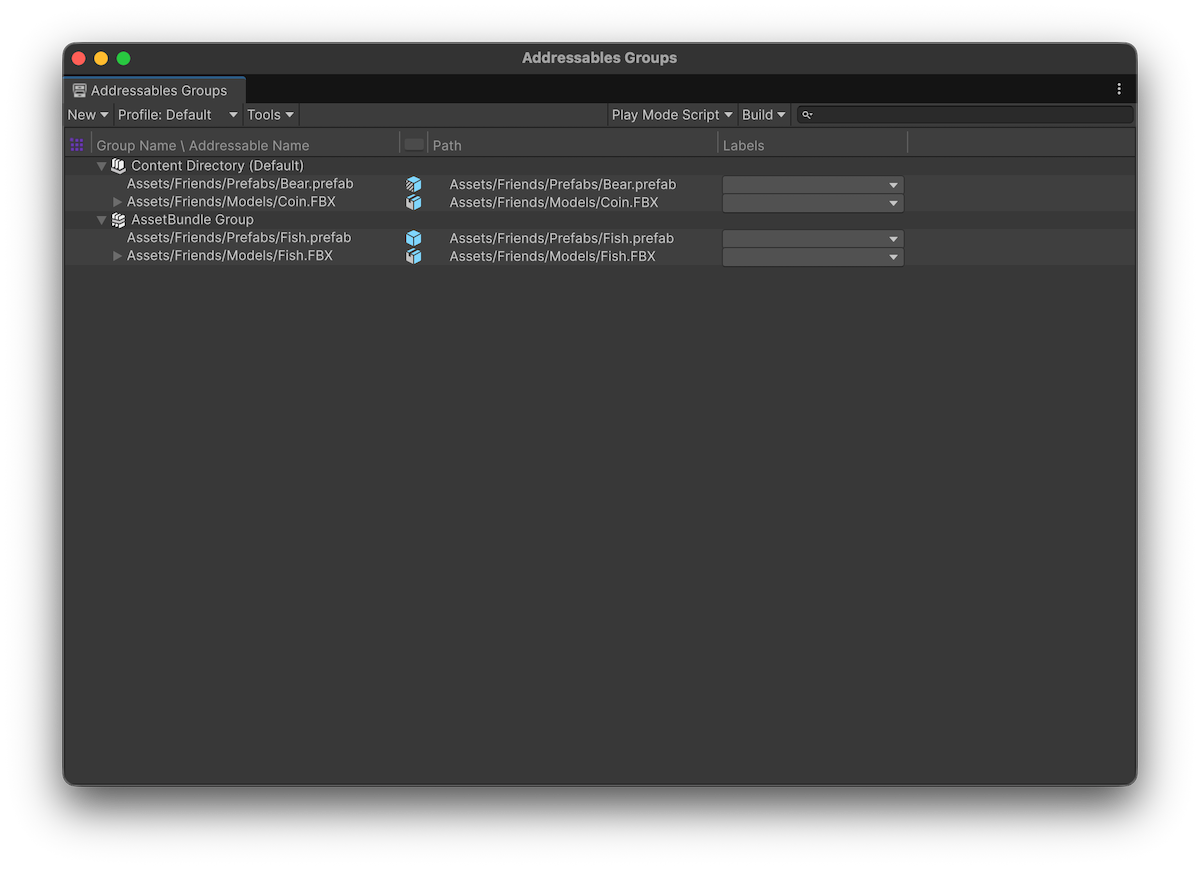
The Addressables Groups window showing the toolbar and list of groups and assets.
The build scripts use groups to determine how to build your project's content, depending on the content build system you're using:
- AssetBundles: The build uses groups to determine the number of AssetBundles to create and where to create them from both the settings of the group and the Addressables system settings.
- Content directories: Creates one content directory that includes all groups.
For more information, refer to Builds.
Note
Addressable groups only exist in the Unity Editor. The Addressables runtime code doesn't use a group concept. However, you can assign a label to the assets in a group if you want to find and load all the assets that were part of that group. For more information, refer to Loading Addressable assets.
Unity saves the groups you create in the AssetGroups subfolder of AddressableAssetsData. When you select a group in this folder, you can use the Inspector to define how Unity creates and outputs a content build.
For full details of each setting, refer to Group Inspector settings reference.
You can also use profile variables to automatically set these paths. For more information, refer to Profiles.