Introduction to preset assets
Use preset assets to save and reuse configurations of components, assets, and Project Settings and then apply that configuration in other instances of the same context. Presets help you avoid having to manually configure the same settings repeatedly.
For example, you can edit the properties of a Rigidbody component, save these settings to a preset asset, then apply that preset asset to Rigidbody components in other GameObjects. The preset applies only to the Rigidbody component and doesn’t affect other components.
You can store presets in the Assets folder of your project. Use the ProjectIn Unity, you use a project to design and develop a game. A project stores all of the files that are related to a game, such as the asset and Scene files. More info
See in Glossary window to view and select presets to edit in the InspectorA Unity window that displays information about the currently selected GameObject, asset or project settings, allowing you to inspect and edit the values. More info
See in Glossary.
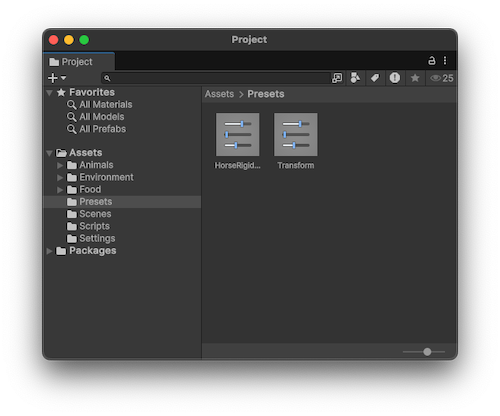
For information on creating preset assets, refer to Create preset assets.
Default presets
Instead of applying presets on an individual GameObject or component level, you can use the Preset Manager project settings window to apply presets by default to any new component you create or asset you import. You can also programatically apply default presets based on an asset’s location in a folder structure. For more information, refer to Apply default presets to assets by folder.