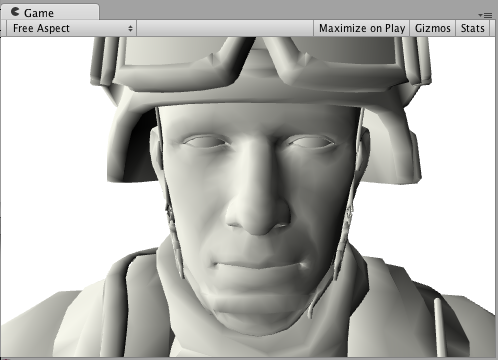
Wrapped diffuse Surface Shader example in the Built-In Render Pipeline
Important: The Built-In Render Pipeline is deprecated and will be made obsolete in a future release.
It remains supported, including bug fixes and maintenance, through the full Unity 6.7 LTS lifecycle.
The Universal Render Pipeline (URP) doesn’t support surface shaders. For more information on how to replace surface shaders in URP, refer to Convert custom shaders for URP compatibility.
The following example shows Wrapped Diffuse, a modification of Diffuse lighting where illumination “wraps around” the edges of objects. It’s useful for simulating subsurface scattering effects. Only the CGPROGRAM section changes, so once again, the surrounding Shader code is omitted:
    ...ShaderLab code...
    CGPROGRAM
    #pragma surface surf WrapLambert

    half4 LightingWrapLambert (SurfaceOutput s, half3 lightDir, half atten) {
        half NdotL = dot (s.Normal, lightDir);
        half diff = NdotL * 0.5 + 0.5;
        half4 c;
        c.rgb = s.Albedo * _LightColor0.rgb * (diff * atten);
        c.a = s.Alpha;
        return c;
    }

    struct Input {
        float2 uv_MainTex;
    };

    sampler2D _MainTex;
        void surf (Input IN, inout SurfaceOutput o) {
        o.Albedo = tex2D (_MainTex, IN.uv_MainTex).rgb;
    }
    ENDCG
    ...ShaderLab code...
Here’s how it looks like with a Texture and without a Texture, with one directional Light in the Scene: