Light halos
Important: The Built-In Render Pipeline is deprecated and will be made obsolete in a future release.
It remains supported, including bug fixes and maintenance, through the full Unity 6.7 LTS lifecycle.
For more information on migration, refer to Migrating from the Built-In Render Pipeline to the Universal Render Pipeline and Render pipeline feature comparison.
Strategies for creating glowing halos around light sources, to give the impression of small dust particles in the air, and add atmosphere to your scene.
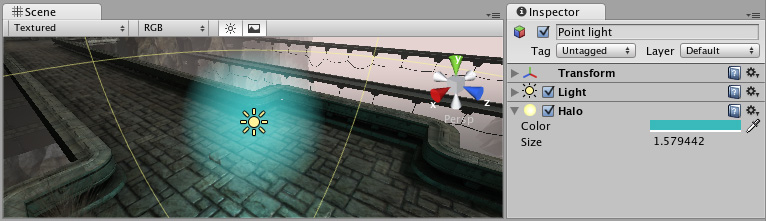
| Topic | Description |
|---|---|
| Create and configure a halo light effect | Create and customize a halo around a light source. |
| Halo component reference | Explore the properties for the Halo component to customize the appearance of a halo. |
Render pipeline information
How you work with light halos depends on the render pipeline you use.
| Feature name | Universal Render Pipeline (URP) | High Definition Render Pipeline (HDRP) | Built-in Render Pipeline |
|---|---|---|---|
| Halos | Yes Use a Lens Flare (SRP) Data Asset and a Lens Flare (SRP) component. |
Yes Use a Lens Flare (SRP) Data Asset and a Lens Flare (SRP) component, or a Screen Space Lens Flare override. |
Yes Use a Halo component. |