Introduction to high dynamic range (HDR)
High dynamic range (HDR) is a technique that produces images with a greater dynamic range of luminosity than standard dynamic range (SDR) images, allowing for realistic depictions of color and brightness.
How HDR works
In standard rendering, the red, green, and blue values of a pixel are stored using an 8-bit value between 0 and 1, where 0 represents zero intensity and 1 represents the maximum intensity for the display device. This limited range of values doesn’t accurately reflect the way that we perceive light in real life and leads to unrealistic images when very bright or very dark elements are present.
In HDR rendering, the pixel values are stored using floating point numbers. This allows for a much larger range of values that more accurately represents the way that the human eye perceives color and brightness.
HDR in Unity
In Unity, you can use HDR images for internal rendering calculations. This feature is called HDR rendering. When HDR rendering is enabled, Unity renders the scene to an HDR image buffer, and performs rendering operations, such as post-processing effects, using that HDR image. This means that the calculations are carried out using realistic values, which can lead to more realistic results.
On certain compatible platforms, Unity supports sending that HDR image to the display device. This feature is called HDR Output.
Considerations for the use of HDR
HDR offers a variety of advantages and disadvantages which you should consider before you use HDR to ensure it is the correct choice.
Advantages of using HDR
HDR offers the following advantages:
- Colors are not lost in high intensity areas
- Better bloom and glow support
- Reduction of banding in low frequency lighting areas
Disadvantages of using HDR
HDR offers the following disadvantages:
- Increased VRAM usage
- Additional computational cost of tonemapping, when used
- Hardware anti-aliasing is not compatible with HDR rendering
Render pipeline compatibility
For information on HDR Rendering and HDR Output in URP, see HDR Output in URP.
For information on HDR Rendering and HDR Output in HDRP, see HDR Output in HDRP.
For any additional information about support for HDR Rendering and HDR Output in the Scriptable Render Pipelines URP and HDRP, see the Render pipeline feature comparison.
Tonemapping
Tonemapping is the process of mapping color values from one range to another. When working with HDR, you must use tonemapping to convert the colors in the HDR image buffer so that the values are within a range that your display device can handle. If you do not use tonemapping, you can lose much of the detail and color information from the image, especially in very bright areas.
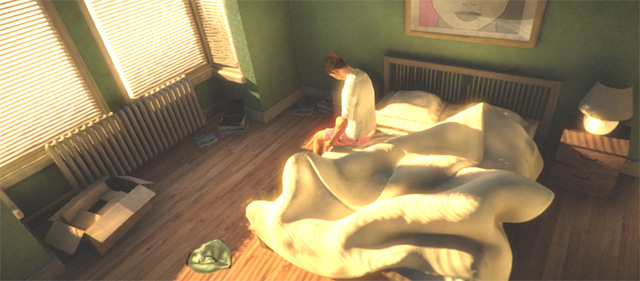
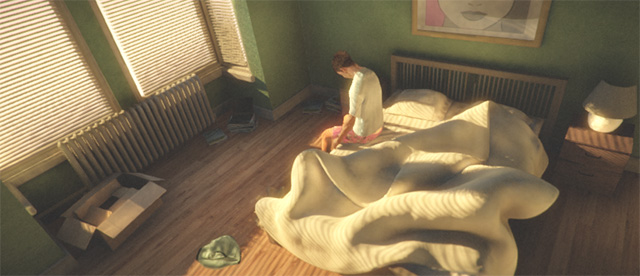
When using HDR rendering with SDR output, you must use tonemapping to convert the HDR image buffer to an SDR image for display. Unity provides tonemapping post-processing effects that let you do this: the Post-Processing Stack V2 package, the URP integrated post-processing solution, and HDRP integrated post-processing solution all contain tonemapping effects.
When using HDR rendering with HDR output, you can either:
- Create your own tonemapping solution that converts the HDR image buffer directly to a compatible HDR format for display
- Use Unity’s tonemapping post-processing effects to convert the HDR buffer to an SDR image (as above), and then use Unity’s automatic output tonemapping to convert that SDR image to a suitable output format. For more details of Unity’s automatic output tonemapping, see the documentation for HDROutputSettings.automaticHDRTonemapping.