Introduction to 2D lighting in URP
Add 2D lights to scenesA Scene contains the environments and menus of your game. Think of each unique Scene file as a unique level. In each Scene, you place your environments, obstacles, and decorations, essentially designing and building your game in pieces. More info
See in Glossary to light 2D GameObjectsThe fundamental object in Unity scenes, which can represent characters, props, scenery, cameras, waypoints, and more. A GameObject’s functionality is defined by the Components attached to it. More info
See in Glossary such as sprites, tilemapsA GameObject that allows you to quickly create 2D levels using tiles and a grid overlay. More info
See in Glossary, and spriteA 2D graphic objects. If you are used to working in 3D, Sprites are essentially just standard textures but there are special techniques for combining and managing sprite textures for efficiency and convenience during development. More info
See in Glossary shapes in the Universal Render PipelineA series of operations that take the contents of a Scene, and displays them on a screen. Unity lets you choose from pre-built render pipelines, or write your own. More info
See in Glossary (URP).
Note: 2D lighting is not physically-based, unlike 3D lighting.
Types of 2D light
There are four types of 2D light:
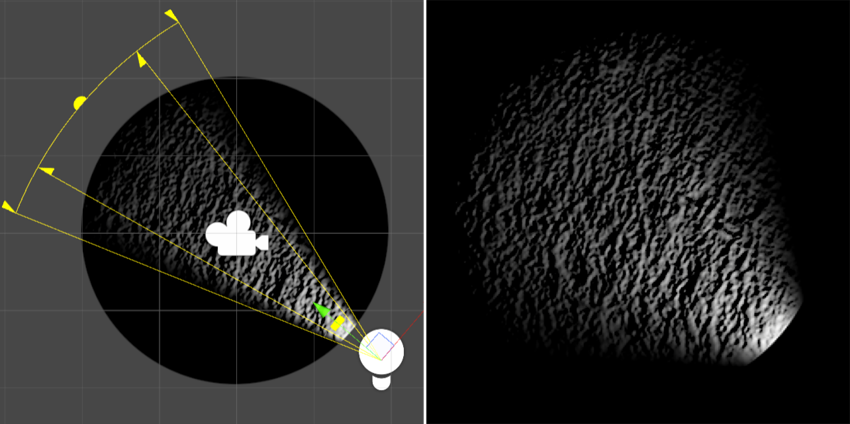
- 2D spot light: Emits light from a point in a specific direction with a cone-shaped area of effect.
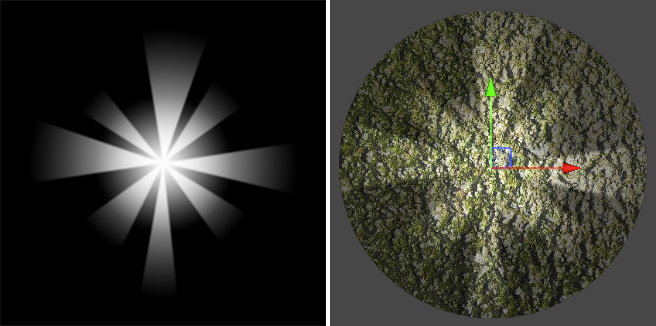
- 2D sprite light: Emits light in the shape of a sprite.
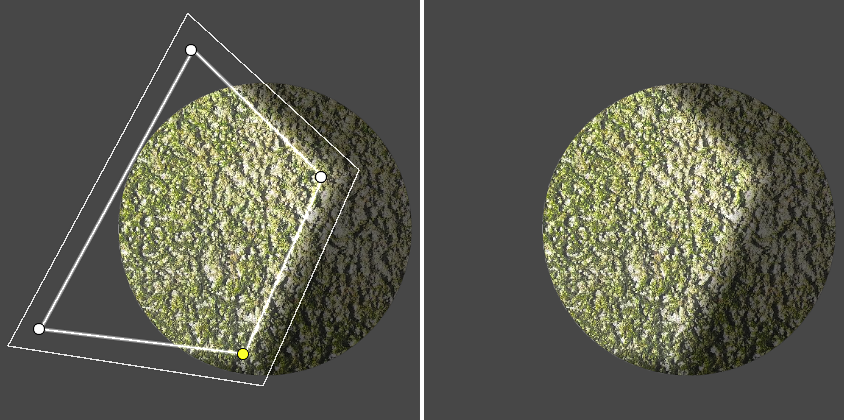
- 2D freeform light: Emits light as a custom polygon shape that you can edit.
- 2D global light: Lights all 2D GameObjects equally with no attenuation. You can only use one global light per blend style and sorting layer.
How Unity renders 2D lights
Unity renders 2D lights and shadows in three stages:
- Draws the shapes of 2D shadows into one or more shadow textures.
- Draws the color and shape of each 2D light into one or more light textures.
- Renders the lit GameObjects onto the screen, using the information from the textures.
By default, Unity tries to render all the light and shadow textures before it renders any GameObjects into the scene. This approach improves performance, because Unity avoids alternating between rendering to the textures and rendering to the screen.
For more information, refer to Optimize 2D lights with batching.