Use the Advanced Object Selector
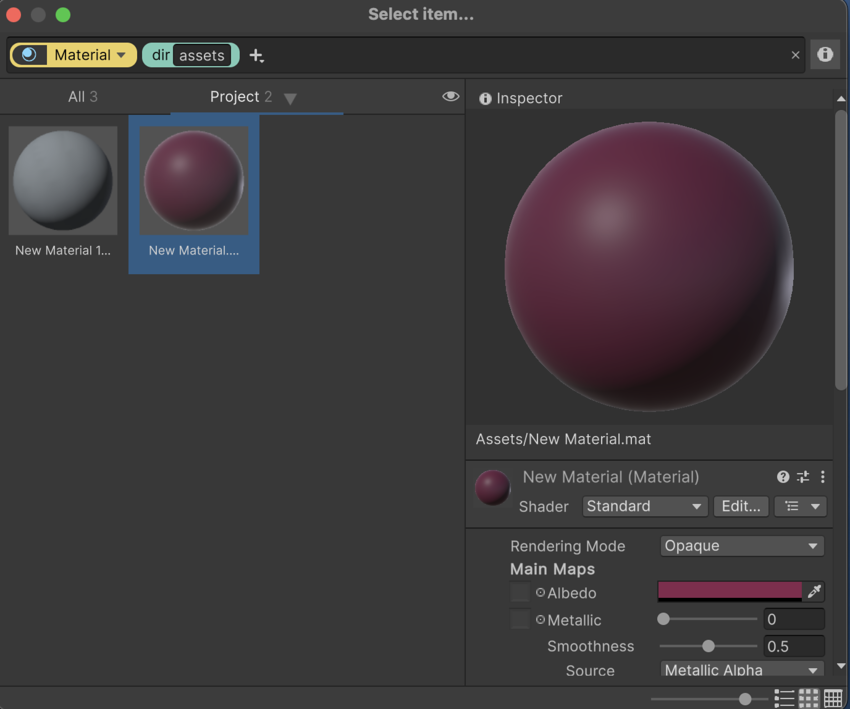
The Advanced Object Selector window is similar to the Search window in the following ways:
- It supports visual queries.
- It lists results in four tabs: All, Project, Resources, and Hierarchy. To learn more, refer to Search Providers.
- It has three views: grid, list, and table.
- It can display an Inspector panel for an item, which allows you to edit the object’s properties before selecting it as a reference.
Use the Advanced Object Selector in all reference fields
To use the Advanced Object Selector in all reference fields in the Unity Editor:
From the main menu, go to Edit > Preferences (macOS: Unity > Settings).
In the Preferences window, go to the Search tab.
-
Under Search Engines, from the Object Selector dropdown, select Advanced.
To revert to the default object selector, select Classic from the dropdown.
Close the Preferences window.
Assign the Advanced Object Selector to individual property
To add the SearchContextAttribute to specific object properties, refer to SearchContextAttribute.