Universal Render Pipeline Scene Templates
You can use Scene Templates to quickly create scenes that include pre-configured URP-specific settings and post-processing effects. For information on how to create a new scene from a Scene Template, see Creating a new scene from the New Scene dialog.
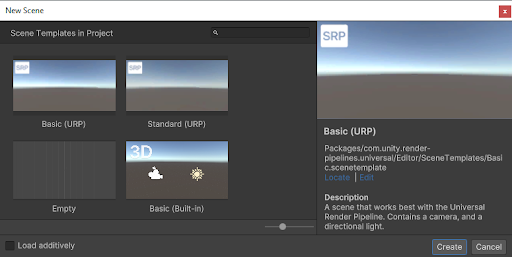
The New Scene dialog displaying Scene Templates.
The following Scene Templates are available for URP:
- Basic (URP): A scene that contains a Camera and a Light. This is the URP equivalent of Unity's default scene.
- Standard (URP): A scene that contains a Camera, a Light, and a global Volume with various post-processing effects. Note: If you create a scene using the Standard (URP) Scene Template, Unity creates a new Volume Profile to store the post-processing effects.