The default project-wide actions
When you create and assign default project-wide actions the action assets comes pre-configured with some default actions such as "Move", "Jump", and more, which suit many common app and game scenarios. They are configured to read input from the most common types of input controller such as Keyboard, Mouse, Gamepad, Touchscreen, and extended reality (XR).
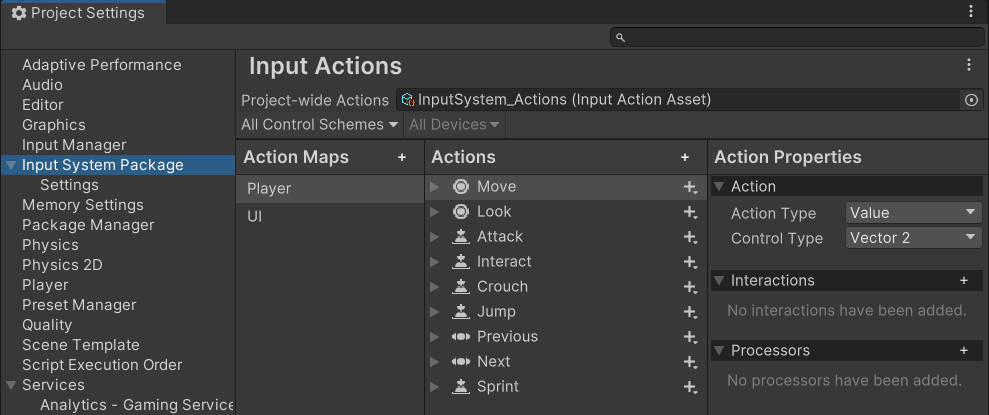 The Input System Package Project Settings after creating and assigning the default actions
These default actions mean that in many cases, you can start scripting with the Input System without any configuration by referring to the names of the default actions that are already configured for you. You can also rename and reconfigure the default actions, or delete these default configurations to suit your needs.
The legacy default Actions Asset
Note
The default actions asset is entirely separate from the default project-wide actions. It is a legacy asset that is included in the package for backwards compatibility.
The Input System package provides an asset called DefaultInputActions.inputactions which you can reference directly in your projects like any other Unity asset. The asset is also available in code form through the DefaultInputActions class.
void Start()
{
    // Create an instance of the default actions.
    var actions = new DefaultInputActions();
    actions.Player.Look.performed += OnLook;
    actions.Player.Move.performed += OnMove;
    actions.Enable();
}