Component Inspector reference
When you select a component, the Inspector displays its information in two tabs:
- Attributes: Displays information about the component’s C# type, such as its namespace, member fields, and allocated chunk size.
- Relationships: Displays all Entities that have the selected component, and all systems that query the component, per world.
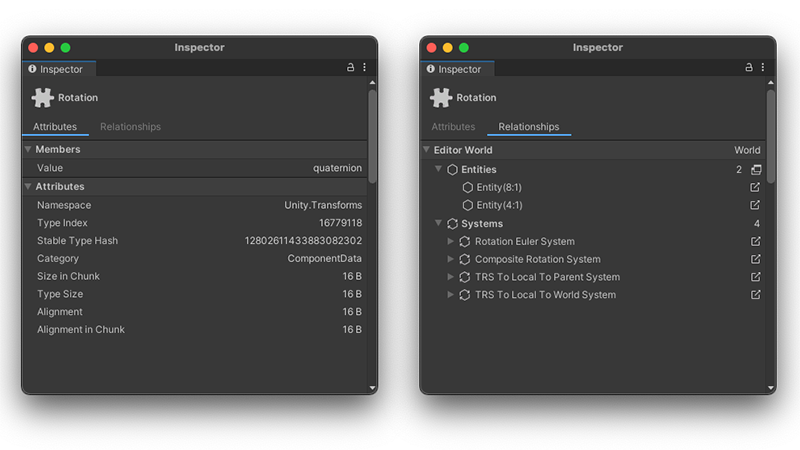
Component Inspector, Attributes (Left), Relationships (Right)
Click on the icon to the right of a system or entity name ( ), to change the selection to that system or entity. For systems, Unity highlights the system in the Systems window. For entities, Unity opens the Entity Inspector where possible.