Introduction to observer-based priority interruption
Use observer-based priority interruption (or just Observer Abort) to let high-priority branches in your behavior tree to automatically interrupt lower-priority branches when their conditions become true. This removes the need to manually add repetitive exit conditions to every low-priority action, and results in cleaner, easier-to-maintain behavior graphs.
Observer-based interruption is useful when you have clear behavior priorities where high-priority actions must immediately override others.
Common scenarios include:
- Attack must interrupt patrol when an enemy is detected.
- Fleeing must interrupt any action when health is critical.
- High-priority tasks must interrupt gathering/maintenance activities.
Behavior without observer interruption
Without observer interruption, each branch needs conditional guards for higher-priority behavior.
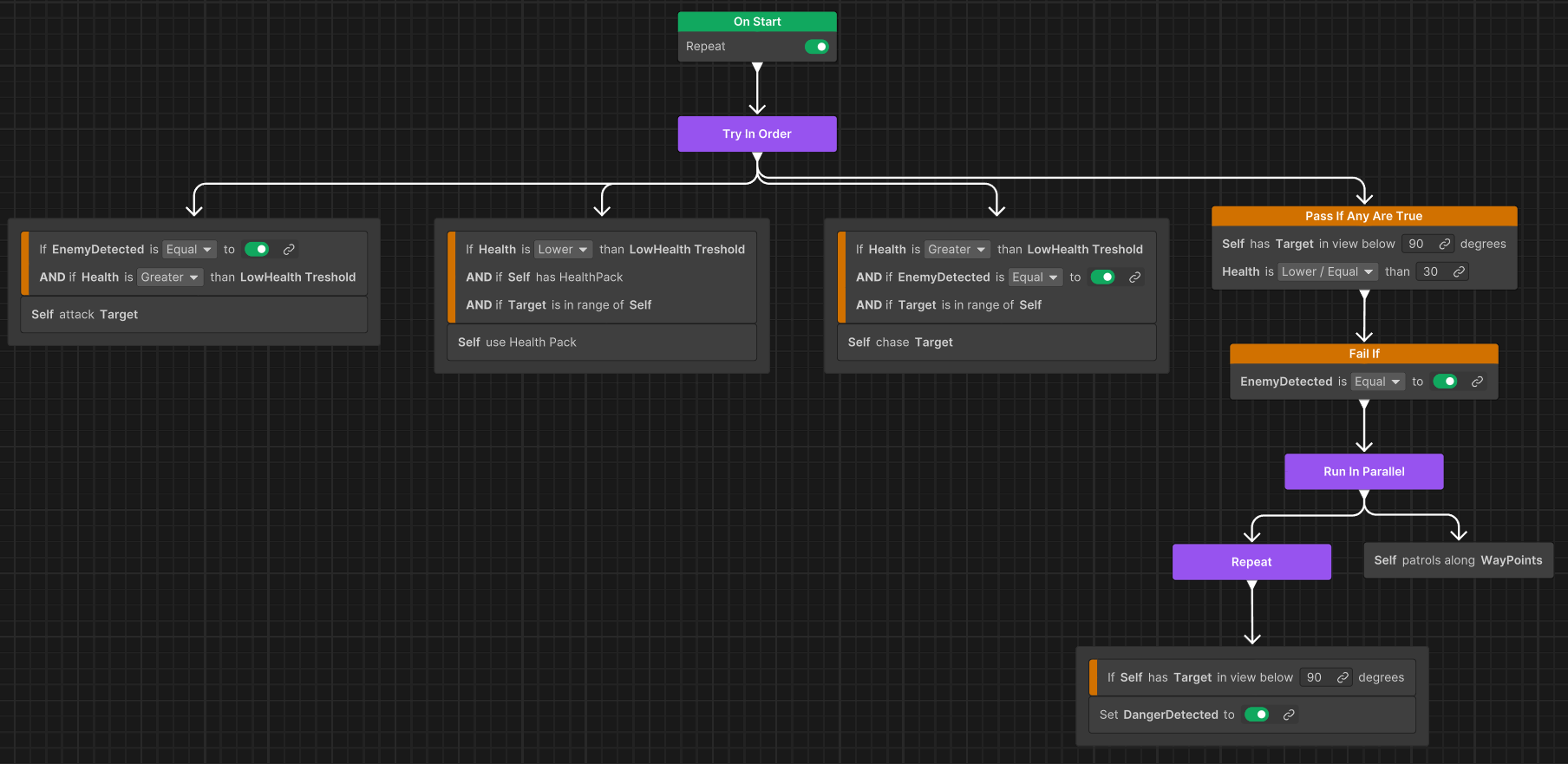
This leads to:
- Duplicate condition logic across multiple branches.
- Maintenance complexity when adding new priorities.
- Error-prone behavior graphs.
Behavior with observer interruption
With observer interruption, each high-priority branch declares its condition once, and the system automatically interrupts lower-priority branches.
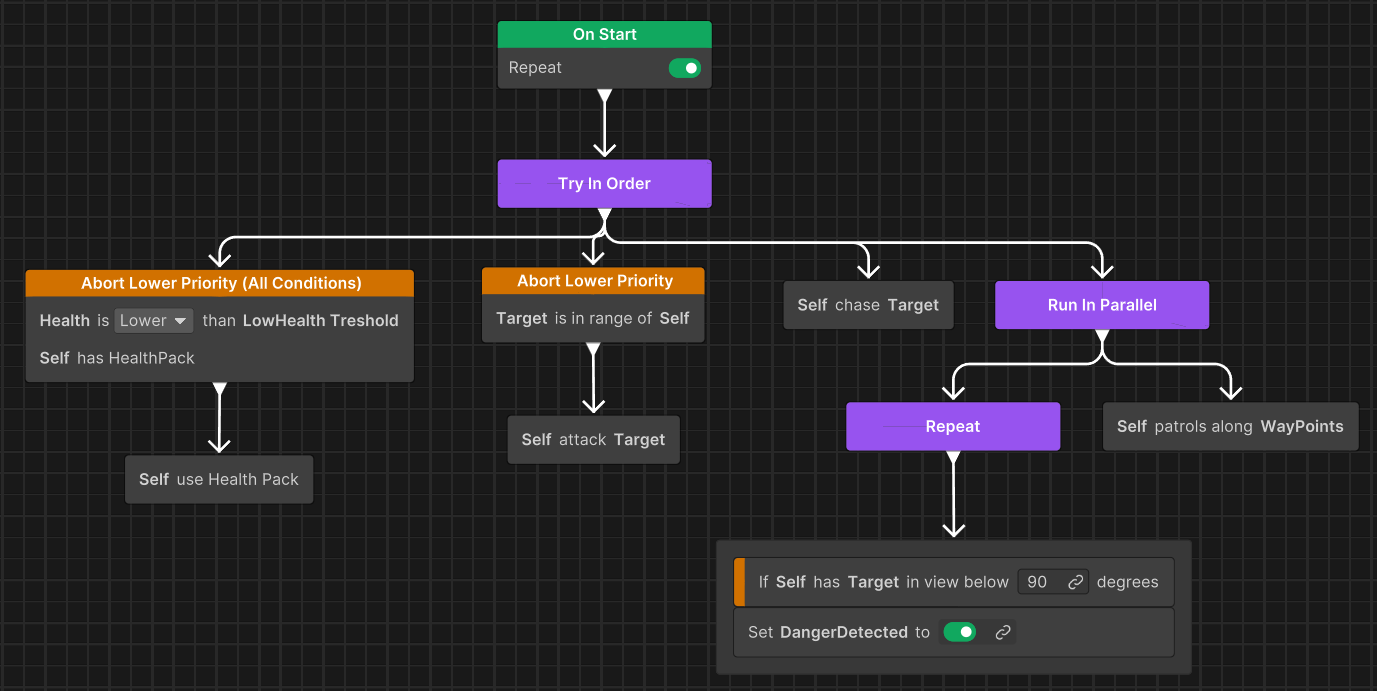
This provides the following benefits:
- Each condition is defined once at the appropriate priority level.
- Lower-priority actions (such as, Chase and Patrol) have no exit conditions.
- Clear visual hierarchy showing priority order (left = highest, right = lowest).
- Convenient to add new priority levels.
Priority order: left to right
Unity Behavior uses child order to determine priority across all composite types:
- Left = Highest Priority (child index 0)
- Right = Lowest Priority (highest child index)
This priority rule applies to:
- TryInOrder (Selector): Tries children left-to-right. Continues on failure, stops on success. Use for choosing the best available option.
- Sequence: Executes children left-to-right. Continues on success, stops on failure. Use for ordered steps that must all succeed.
Note: Lower Priority in observer aborts refers to siblings to the right (higher child index).
Recommended nodes for priority-based interruption
For pure priority-based interruption, use the Priority Abort node. This node is dedicated to priority interruption and clearly communicates its intent in the graph.
Use Conditional Guard, Conditional Branch, or Repeat While when you need both conditional evaluation and optional observer behavior.
Choose the observer type based on your intent:
- Type: None: One-time condition check only (no observer behavior, not available to Priority Abort node)
- Type: Self: Guard that fails if condition changes during running
- Type: LowerPriority: Guard with priority interruption
- Type: Both: Guard with self-abort and priority interruption