2D Enhancers in Sprite Editor window reference
Modes overlay
With the 2D Enhancers package installed, the Sprite Editor window has an overlay on the upper left that allows you to select a specific mode. Use these modes to generate a completely new sprite, or enhance an existing one.
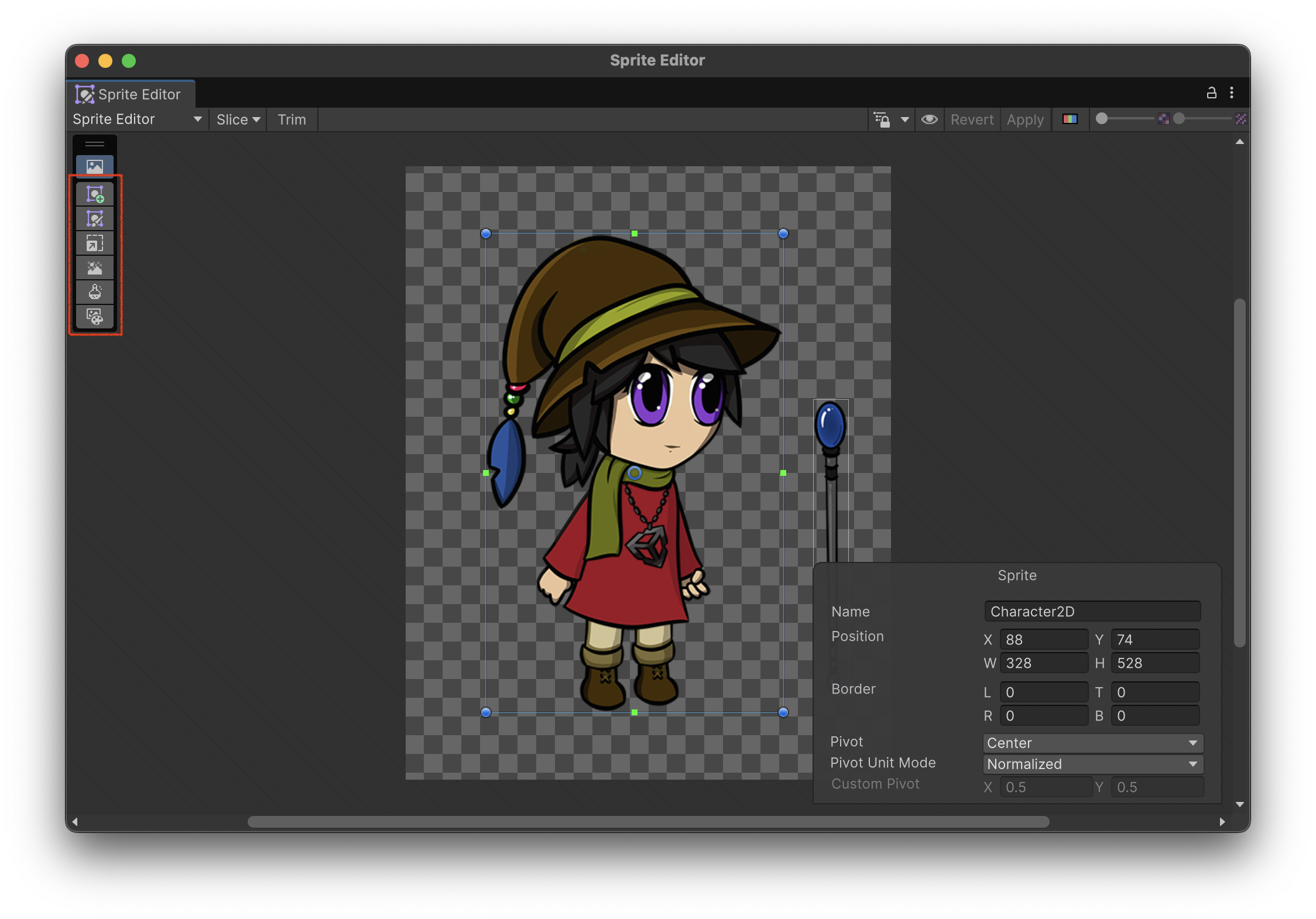
| Icon | Mode | Description |
|---|---|---|
 |
Generate | Generates a new image based on a prompt and image controls. |
 |
Refine | Uses inpainting to refine specific area of the sprite with a base image, and a mask. |
 |
Upscale | Increases the resolution of the image without losing details. |
 |
Remove Background | Removes the background elements from the base image. |
 |
Pixelate | Pixelates the sprite using specified sampling mode and size. |
 |
Recolor | Allows you to recolor a sprite using a custom color palette. It is possible to use a reference image with a desired color scheme. |
These enhancement modes are exactly the same as the ones found in the Generators package. To learn more about different enhancement features and how to use them, refer to the Sprite Generator documentation in the Generators package.
AI Generation and Results overlays
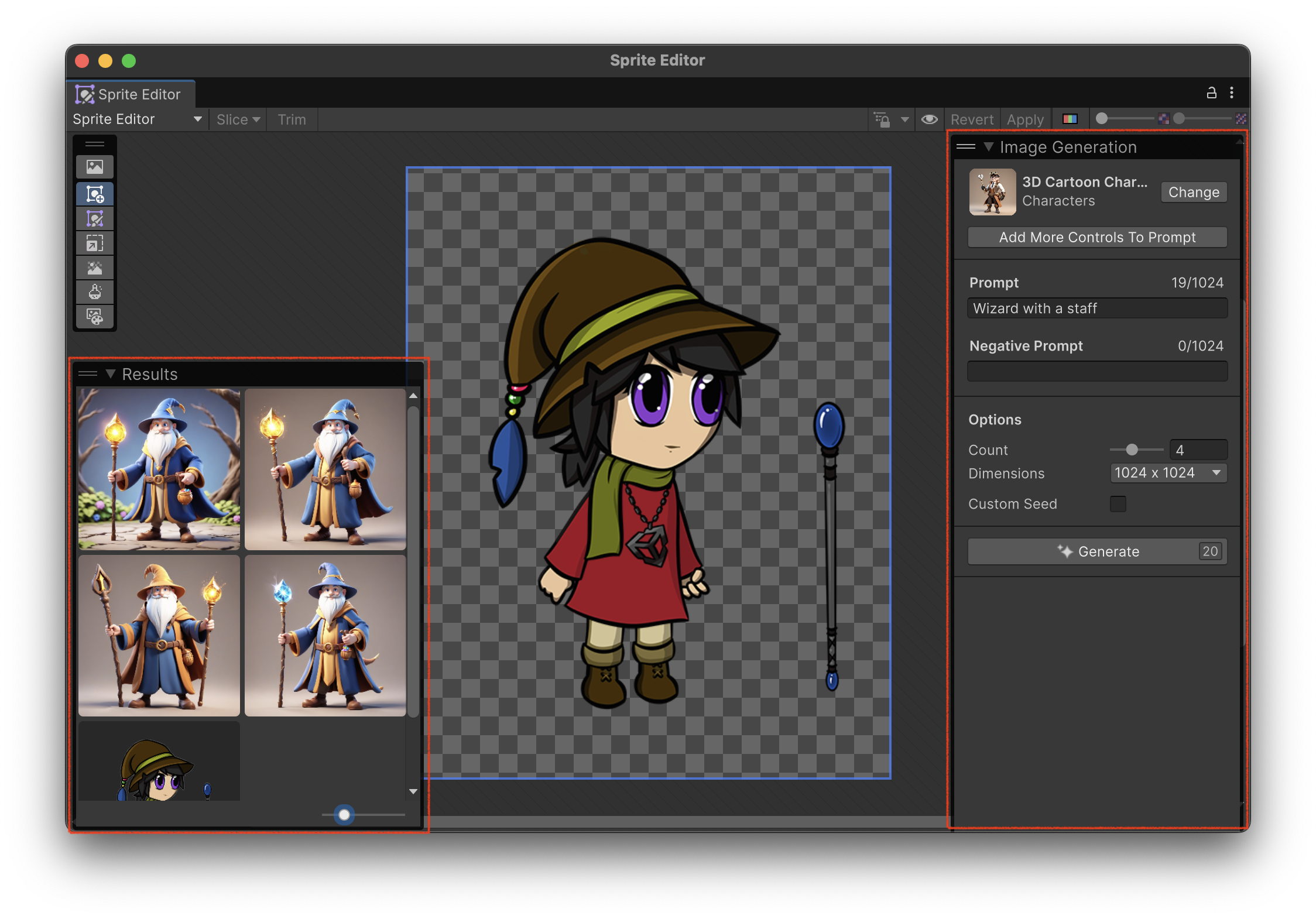
The AI overlay is mode dependant and will display different content depending on a selected mode, e.g., in Sprite Generation mode it will show the "Image Generation" title and allow to select a generation mode, add a prompt, negative prompt, as well as various image controls.
For more information, refer to the Generate window documentation in the Generators package.
Canvas Tools
Use the canvas tools to draw a mask, or make adjustments to the base image. Each tool has its own settings. The tools and settings only appear if you select certain modes in the Modes overlay.
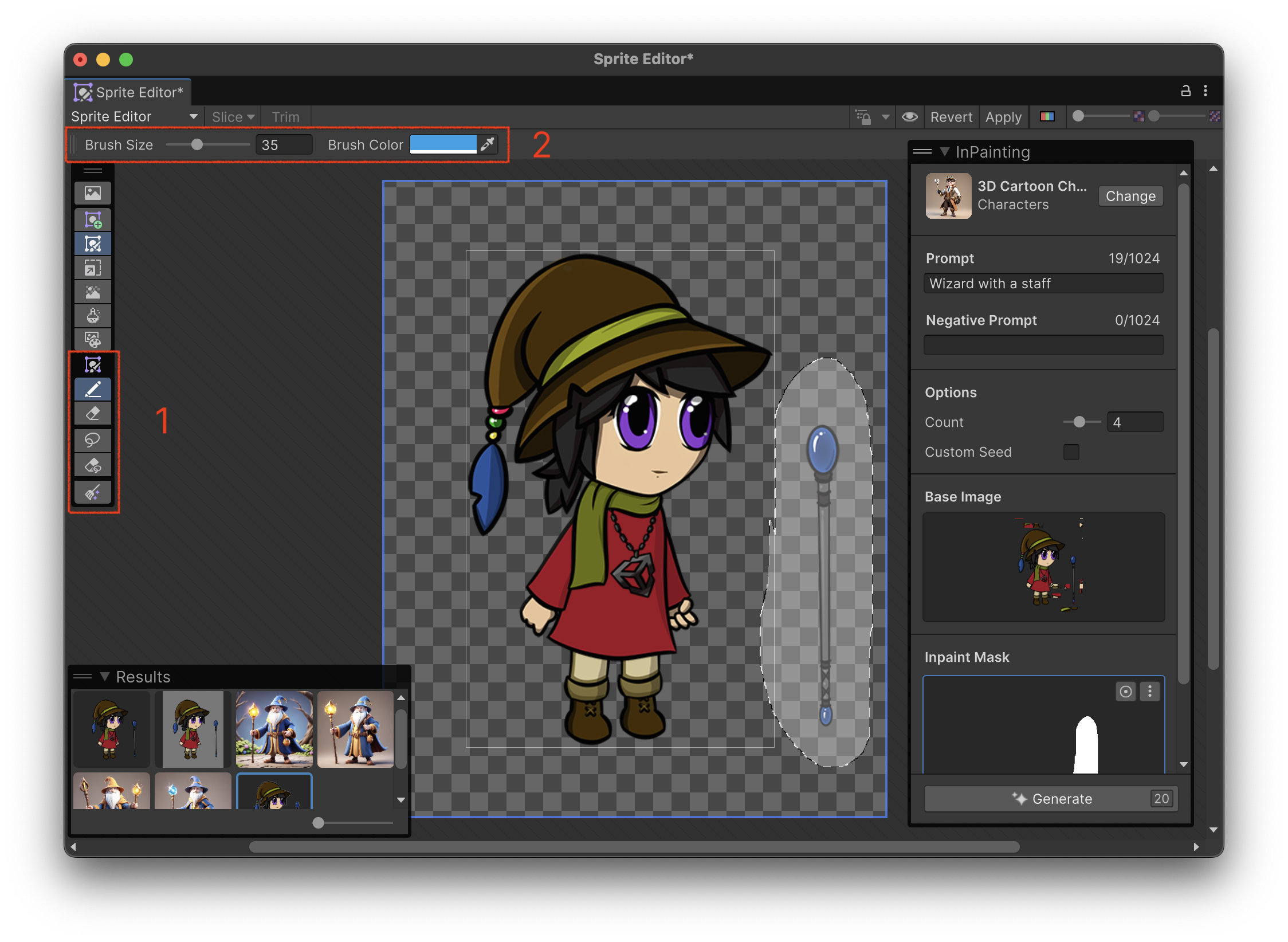
| Icon | Mode | Description |
|---|---|---|
 |
Doodle | Draw into the image currently edited in the canvas. |
 |
Eraser | Erase parts of the drawn image. |
 |
Mask | Draw a mask in the canvas. This tool is used in inpainting mode. |
 |
Eraser | Erase parts of the drawn mask. |
 |
Clear | Clear the painted image or mask. |