Refine a sprite with inpainting
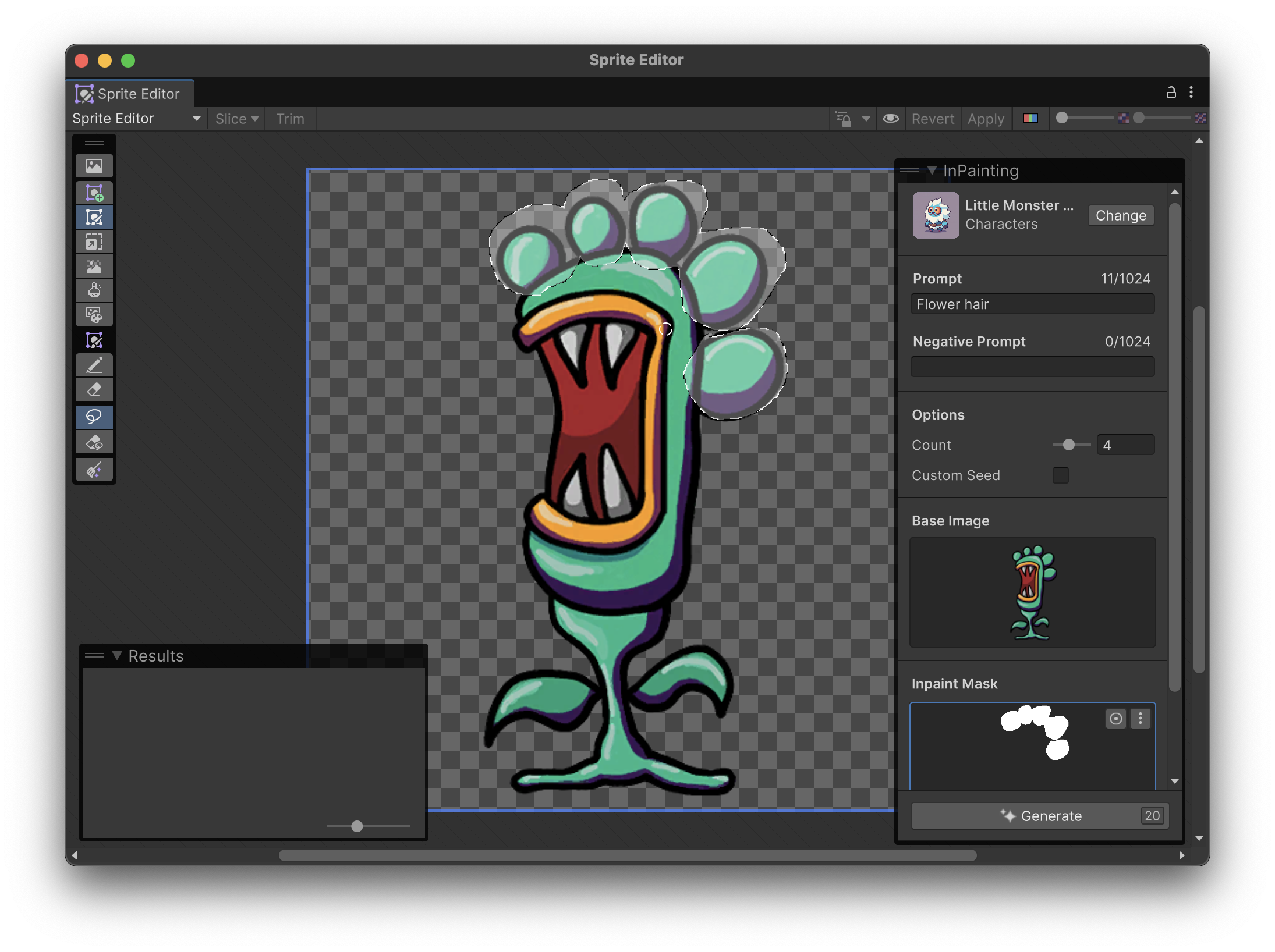
Use inpainting to mask out parts of a sprite that you want to refine, modify areas of the base image with a paint brush, add prompt, and generate a sprite.
Follow these steps:
- In the Modes overlay, select the Refine (
 ) mode.
 - In the Tools overlay, select the Mask (
 ) tool.
 - Draw an outline around the area of the sprite that you want to regenerate.
- In the Image Generation overlay, add a prompt and other settings.
- Select Generate.
To modify the base image before you refine it, select the Doodle ( ) tool in the Tools overlay, then draw on the canvas.
Note: Certain models don't support inpainting and won't be available in the model selection window.