Panini Projection Volume Override reference for URP
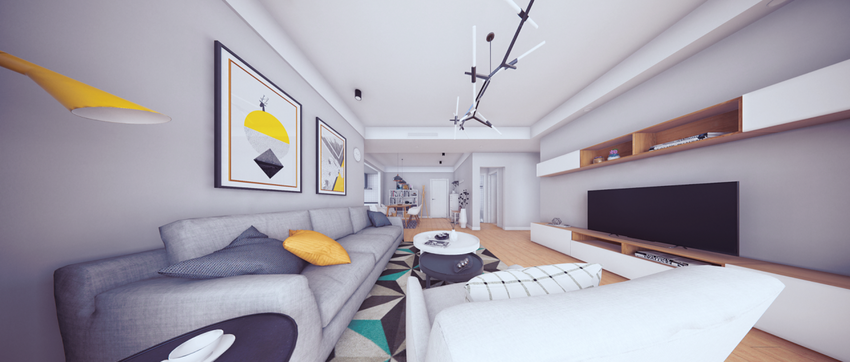
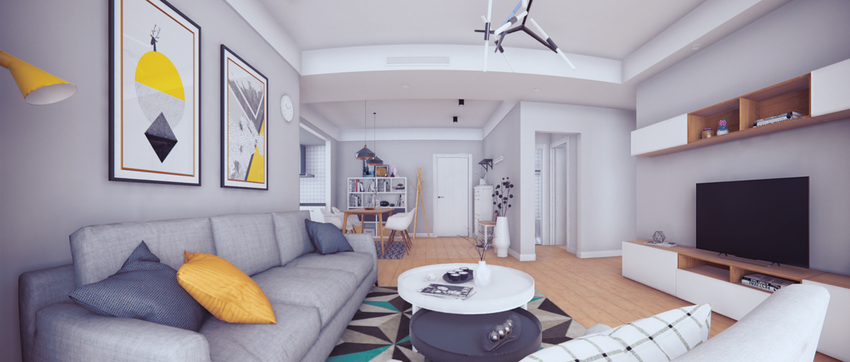
This effect helps you to render perspective views in scenes with a very large field of view. Panini projection is a cylindrical projection, which means that it keeps vertical straight lines straight and vertical. Unlike other cylindrical projections, panini projection keeps radial lines through the center of the image straight too.
For more information about panini projection, refer to PanoTools’ wiki documentation on General Panini Projection.
Properties
| Property | Description |
|---|---|
| Distance | Use the slider to set the strength of the distortion. |
| Crop to Fit | Use the slider to crop the distortion to fit the screen. A value of 1 crops the distortion to the edge of the screen, but results in a loss of precision in the center if you set Distance to a high value. |