Collect performance data in Play mode
Profile in Play mode to quickly test changes and monitor the performance of your application without having to rebuild your application every time.
To profile in Play mode:
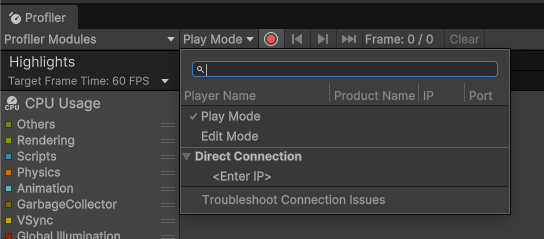
- Open the Profiler (Window > Analysis > Profiler)
- Select the Target Selection dropdown, next to Record
- Select Play Mode
Unity Profiler minimizes the overhead of profiling the Editor itself and represents any Editor-only activity when profiling Play mode as EditorLoop markers.

Tip: Whenever you profile Play mode, open it in a maximized view to run your application at a resolution closer to that of your target device. This directly affects performance issues such as those related to fill rate.
To make sure that windows other than Play mode or the Profiler don’t use up time on the render thread and GPU, which affects performance data, reduce the amount of open Unity Editor windows.