Create a surface shader in the Built-In Render Pipeline
Important: The Built-In Render Pipeline is deprecated and will be made obsolete in a future release.
It remains supported, including bug fixes and maintenance, through the full Unity 6.7 LTS lifecycle.
For more information on migration, refer to Migrating from the Built-In Render Pipeline to the Universal Render Pipeline and Render pipeline feature comparison.
Follow these steps:
- Add a
CGPROGRAMblock to theSubShaderblock in your shader code, not thePassblock. Unity automatically creates multiple passes when it compiles the surface shader. - Add a
#pragma surface [surfaceFunction] [lightModel]directive.
Surface shaders aren’t compatible with HLSLPROGRAM blocks, but you can use HLSL inside a CGPROGRAM block. For more information, refer to Shader code blocks in ShaderLab reference.
Example
Shader "Example/Diffuse Simple" {
  SubShader {
    Tags { "RenderType" = "Opaque" }

    CGPROGRAM

    #pragma surface surf Lambert

    struct Input {
        float4 color : COLOR;
    };

    void surf (Input IN, inout SurfaceOutput o) {
        o.Albedo = 1;
    }

    ENDCG
  }
  Fallback "Diffuse"
}
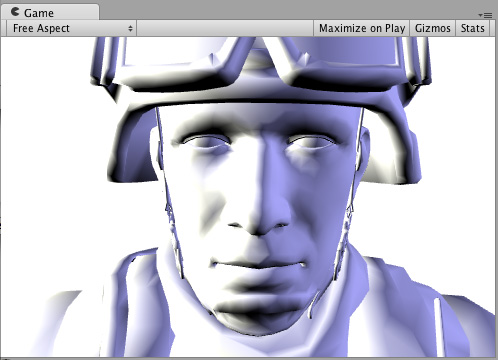
Here’s how it looks like on a model with two Lights set up: