Create a decal via a Decal Renderer Feature in URP
To add decals to your scene:
Add the Decal Renderer Feature to the URP Renderer.
-
Create a Material, and assign it the
Shader Graphs/Decalshader. In the Material, select the Base Map and the Normal Map.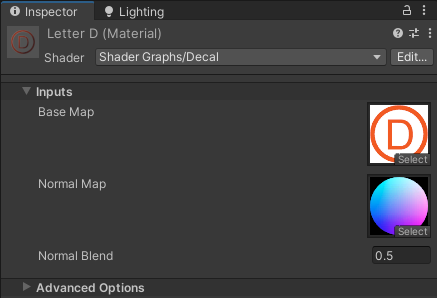
Example decal Material Create a new Decal Projector GameObject, or add a Decal Projector component to an existing GameObject.
The following illustration shows a Decal Projector in the scene.
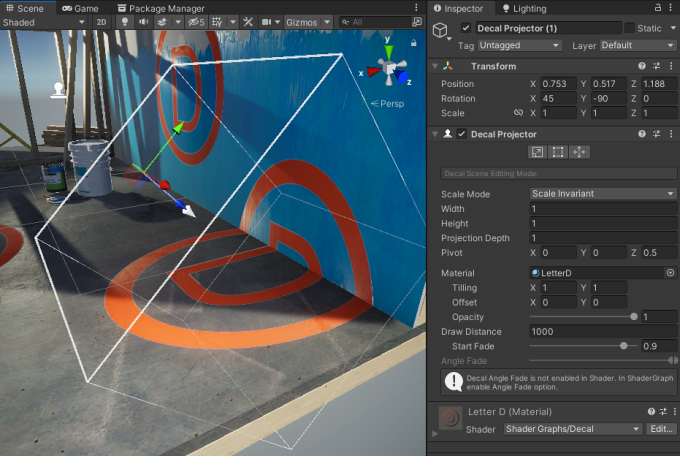
For more information, refer to the Decal Projector component.
An alternative way to add decals to a scene:
Create a Quad GameObject.
Assign a Decal Material to the GameObject.
Position the Quad on the surface where you want the decal to be. If necessary, adjust the mesh bias value to prevent z-fighting.