Tree Hierarchy view UI reference
The Tree Hierarchy view shows the groups arranged in vertical levels. For example, in this structure there is a single trunk, and a branch group in a level above it, with eight branches:
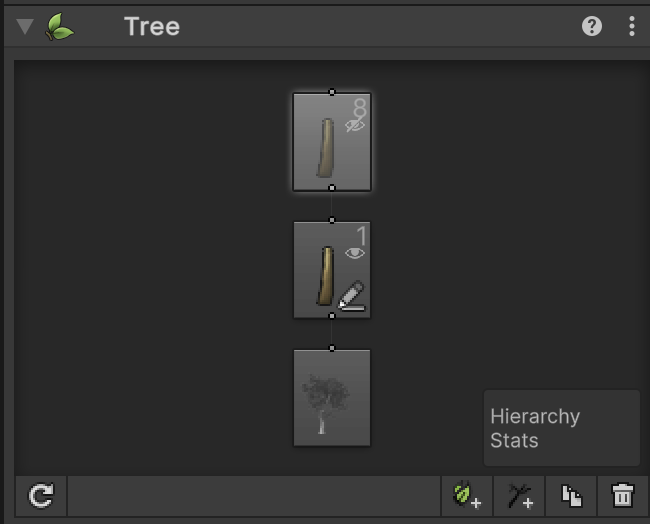
Each level shows its group type with an icon, and has lines connecting it to other levels. The number in the top-right corner is the number of branches or leaves that exist in the group. The eye icon just below the number controls the visibility of the group in the Scene view. Click the eye to toggle visibility on or off.
