Configure Android App Manifest
Learn about the default Android App Manifest entries for OpenXR Spatial entities and how to customize them for your project.
Some OpenXR runtimes require your app to obtain Android system permissions before you can access spatial data. The required permissions vary per runtime, and each permission requires changes to your app's Android App Manifest.
Default Android App Manifest
Unity supports this package for both the Meta Horizon OS and Android XR runtimes, and by default your app will include Android App Manifest entries relevant to both runtimes.
To learn which entries Unity includes in the Android App Manifest for these platforms, refer to Manifest entry reference.
Configure manifest behavior
If your app targets any additional OpenXR runtimes, refer to the manufacturer's documentation to confirm if the platform requires any Android App Manifest entries.
You can configure Android App Manifest behavior by using a platform-specific build profile, or the Android build profile, as outlined in the following sections:
Platform-specific build profiles
If you build your app with the Meta Quest build profile, this package automatically includes Android App Manifest entries for Meta Horizon OS and excludes Android XR-related entries.
Likewise, if you build with the Android XR build profile, this package includes Android XR-related entries, and excludes Meta Horizon OS-related entries.
Android build profile
If you build your app with Unity's Android build profile, the Spatial Entities Settings object dictates the included Android Manifest entries. You can access Spatial Entities Settings from Edit > Project Settings > XR Plug-in Management > OpenXR > Spatial Entities.
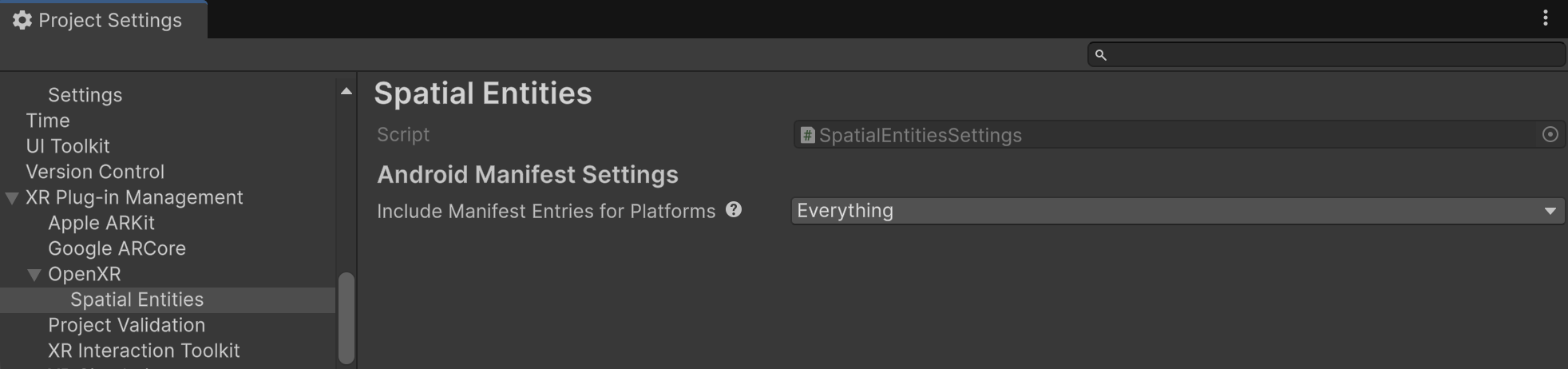
Spatial Entities settings.
Refer to the following table to understand the configurable Spatial Entities settings:
| Setting | Description |
|---|---|
| Include Manifest Entries for Platforms | When you build your app with Unity's Android build profile, this setting dictates which Android Manifest entries to include in your app's Android App Manifest. There are four available options:
|
Manifest entry reference
The following table lists the specific Android Manifest entries that this package sets for each supported platform.
| Platform | Permission | Usage |
|---|---|---|
| Meta Horizon OS | com.oculus.permission.USE_SCENE |
Planes, Markers, Anchors |
| Meta Horizon OS | com.oculus.permission.USE_ANCHOR_API |
Planes, Anchors |
| Android XR | android.permission.SCENE_UNDERSTANDING_COARSE |
Planes, Markers, Anchors |