Use the legacy foveation API
Configure the legacy foveation method with the Meta XR Core SDK, then set the foveation level at runtime.
The legacy API supports Meta Quest headsets only, and might not work on other devices. Use it when your project targets the Built-In Render Pipeline, which the scriptable render pipeline (SRP) foveation API doesn't support.
Note
The Meta XR Core SDK is a third-party package that Unity doesn't control. The OpenXR features and API it provides can change without notice.
Prerequisites
Before you begin, make sure your project meets the conditions in Foveated rendering requirements reference.
Install the Meta XR Core SDK package, if you haven't already. You can get this package from the Unity Asset Store. The package adds the Meta XR feature group and its associated features to the OpenXR settings. Refer to the Meta Horizon developer documentation for more information.
Configure the legacy foveation method
Set the Foveated Rendering Method option to Foveated rendering (Legacy API), and enable the Meta XR Foveation feature.
To configure foveated rendering with the legacy API:
Open the Project Settings window.
Select the XR Plug-in Management settings.
Select the Android tab.
Under OpenXR, enable the Meta XR feature group. Unity might prompt you to restart the Unity Editor. Restart now, or after you finish configuring these settings.
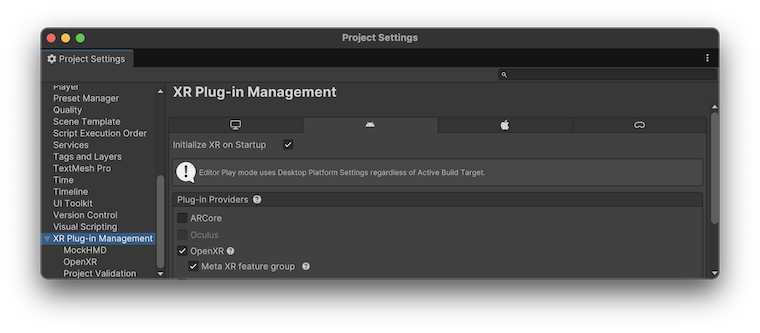
Under XR Plug-in Management, select the OpenXR settings.
Set the Foveated Rendering Method option to Foveated rendering (Legacy API).
In the list of OpenXR Feature Groups, select All Features.
Disable the Foveated Rendering feature, if you enabled it.
Enable the Meta XR Foveation feature.
(Optional) Enable the Meta XR Eye Tracked Foveation feature.
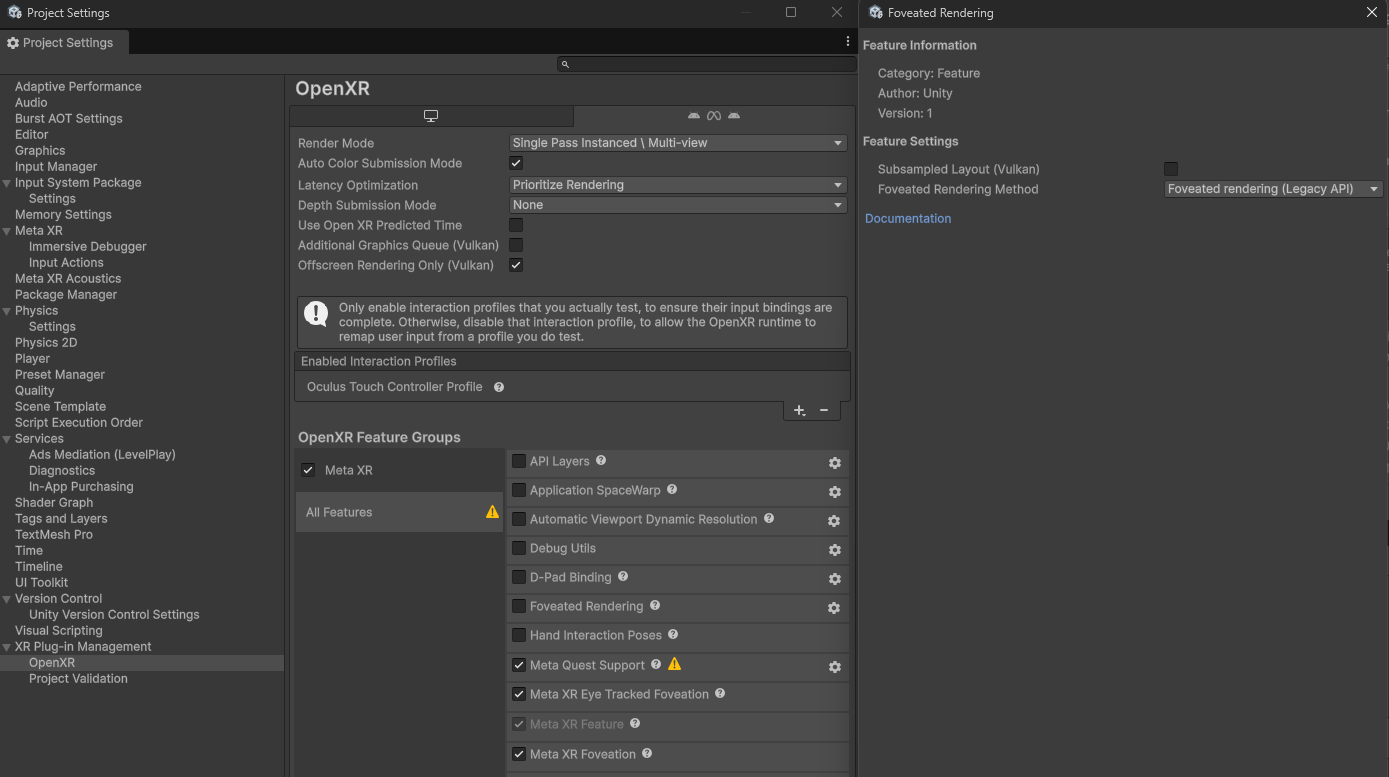
Legacy API foveated rendering settings.
After you apply these settings, the legacy API is available in your project. Next, set the foveation level at runtime.
Set the foveation level
The following code example sets foveated rendering to High and enables gaze-based foveation with the legacy API and the Meta XR Core SDK package:
using UnityEngine;
using UnityEngine.XR;

public class FoveationStarter : MonoBehaviour
{
    private void Start()
    {
        // Only use with the Meta XR Core SDK.
        OVRManager.foveatedRenderingLevel = OVRManager.FoveatedRenderingLevel.High;
        OVRManager.eyeTrackedFoveatedRenderingEnabled = true;
    }
}
Refer to Meta's OVRManager Class Reference for more information.