Composition layers for OpenXR Meta
Understand how OpenXR Meta uses composition layers.
On OpenXR-based platforms like Meta Horizon OS, your app doesn't normally have access to any pixel data associated with passthrough images. Instead, Meta's OpenXR runtime submits passthrough images directly to the OpenXR compositor as composition layers, which dictate how the runtime should render the final image for each frame. Unity's XR Composition Layers package provides an interface for authoring your app's composition layers, including the custom Passthrough layer type provided by this package.
For more information about composition layers, refer to the Composition layers package documentation.
Meta Passthrough layer
If your scene uses Passthrough, by default the camera subsystem will create a GameObject at runtime that enables the Meta Passthrough layer. This Passthrough GameObject appears at the root of your scene hierarchy.
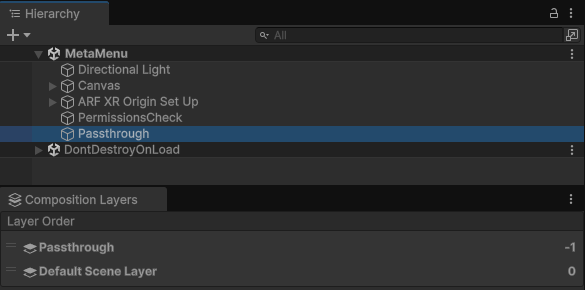
Passthrough GameObject created at runtime.
The Passthrough GameObject contains a Composition Layer component that controls the Passthrough layer. Its default Layer Order is -1, and it uses the Alpha blend type.
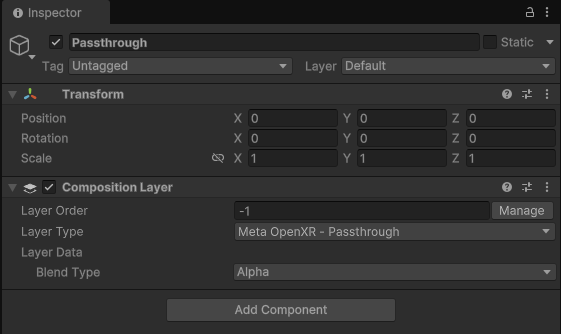
Passthrough GameObject shown in the Inspector window.
Customize your composition layers
If you prefer to author your app's composition layers in the Editor, you can Add a layer in the Editor as you normally would when working with the XR Composition Layers package. For your Passthrough layer, choose the Meta OpenXR - Passthrough layer type, and Set the layer sort order in the Editor to your desired value.