Hand tracking OpenXR feature
Unity OpenXR provides support for the Hand Tracking extension specified by Khronos. Use this feature to have Unity manage and update an XRHandSubsystem. To receive updates from the subsystem, subscribe to the XRHandSubsystem.updatedHands event.
For this extension to be available, you must install the OpenXR package.
For this extension to work when deployed to a Meta Quest device, your OpenXR package must be set to at least version 1.6.0.
For background information about the Hand Tracking extension, refer to the OpenXR Specification.
Feature Settings
| Property | Description |
|---|---|
| Auto Start Subsystem | If enabled (default), the XRHandSubsystem is automatically created and started when the OpenXR session begins. Disable this to defer subsystem creation until you are ready to start hand tracking. For more information, refer to Deferred Initialization. |
To access this property, click the gear icon next to Hand Tracking Subsystem in Project Settings > XR Plug-in Management > OpenXR.
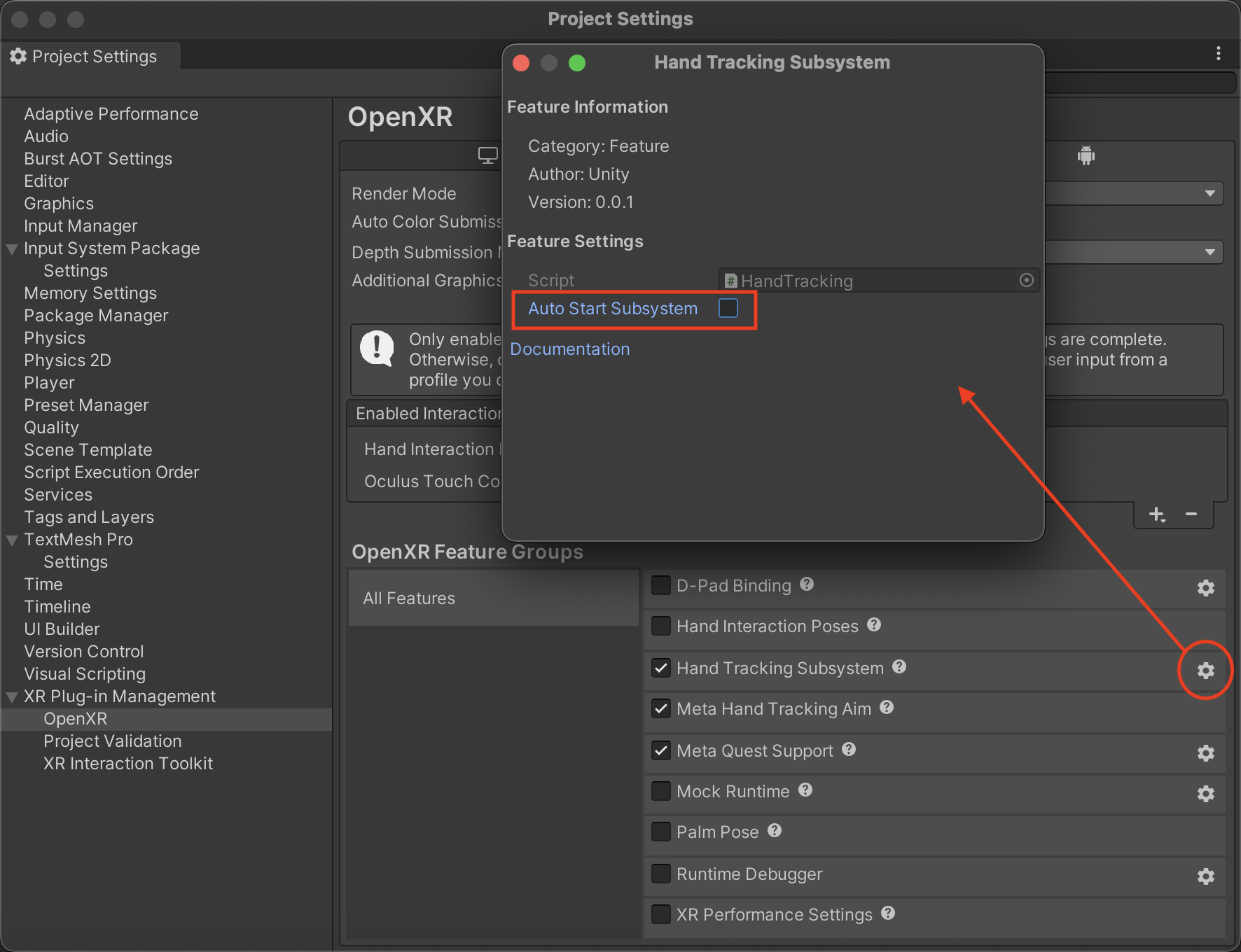
Feature settings for Hand Tracking