Project Overview
Welcome to the Multiplayer Third-Person Gameplay project!
This is a modular framework built on Unity Netcode for GameObjects. It provides a foundation for multiplayer games, structured to separate core systems from genre-specific gameplay (like Shooters or Platformers).
Folder Structure
The project uses a clean hierarchy to organize shared and specific logic:
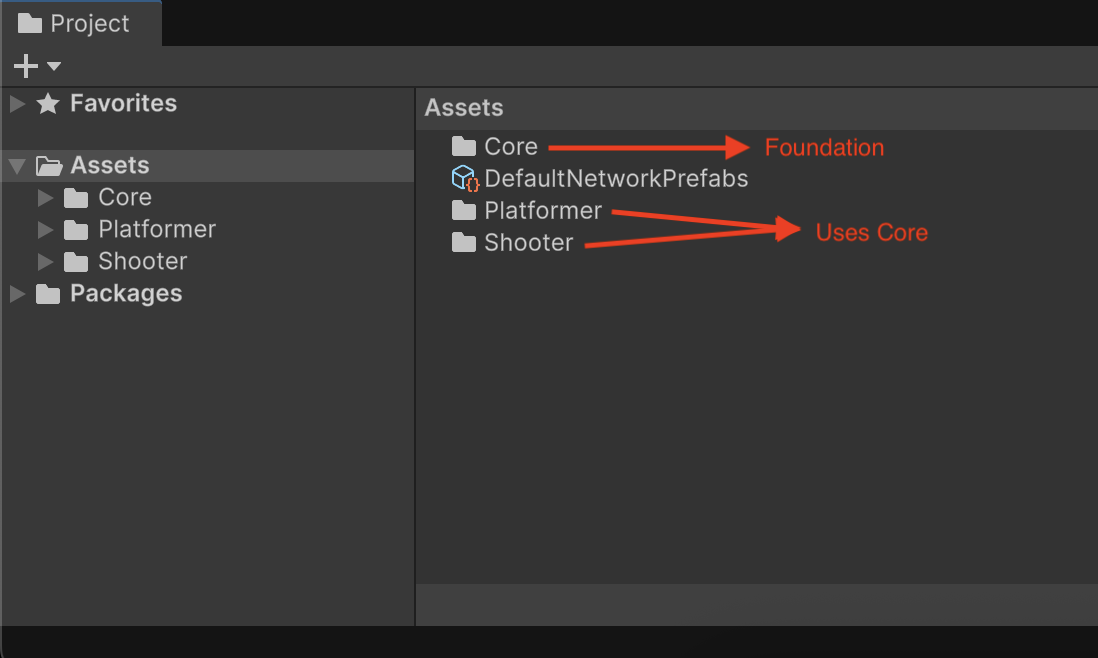
Core: The foundation used by all game types. Contains:- Input & Movement
- Camera Systems
- Networking
- Health & Stamina
Platformer: Extends Core with jump mechanics, coins, and interactions.Shooter: Extends Core with weapons, projectiles, and aiming logic.
Controls
The project uses the Unity Input System. Here are the default bindings:
| Action | Keyboard | Description |
|---|---|---|
| Move | W A S D |
Movement |
| Look | Mouse | Rotate Camera |
| Jump | Space |
Jump |
| Sprint | Shift (Hold) |
Run faster |
| Fire | Left Mouse Button |
Primary Action |
| Aim | Right Mouse Button |
Secondary Action (Shooter) |
| Reload | R |
Reload Weapon |
| Cycle Weapon | 1 - 2 |
Cycle through available weapons |
Note
You can change the bindings in Edit > Project Settings > Input System Package.
Player Structure
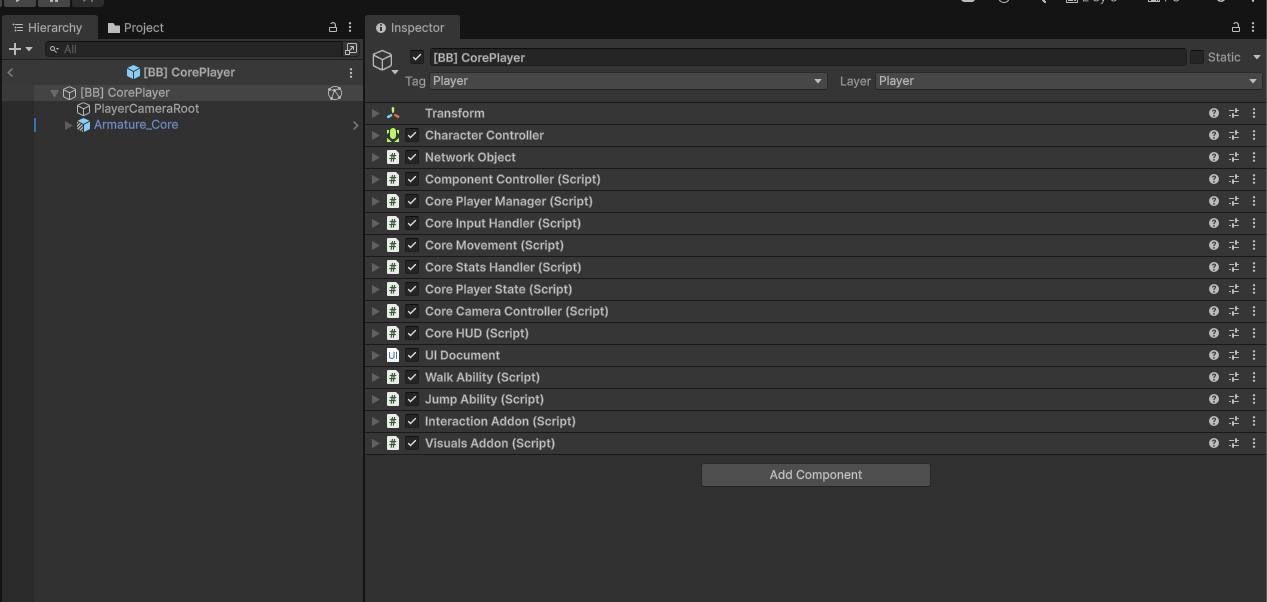
The CorePlayer prefab is the heart of the project. It is a networked object composed of modular scripts that work together:
Key Components
- Network Object: Synchronizes the player across all clients.
- Core Player Manager: The "Brain". It connects Input, Movement, and Stats.
- Core Input Handler: Captures button presses and raises GameEvents based on network ownership.
- Core Movement: Handles physics, gravity, and velocities.
- Core Stats Handler: Manages Health and Stamina.
- Core Camera Controller: Controls view modes (1st/3rd Person).
- Abilities: Modular scripts (like Jump or Dash) plugged into the CoreMovement system.
- Addons: Modular scripts (like InteractionAddon or NameplateAddon) plugged into the CorePlayerManager system.
Scene Logic
A multiplayer scene requires specific managers to handle connections and game rules.
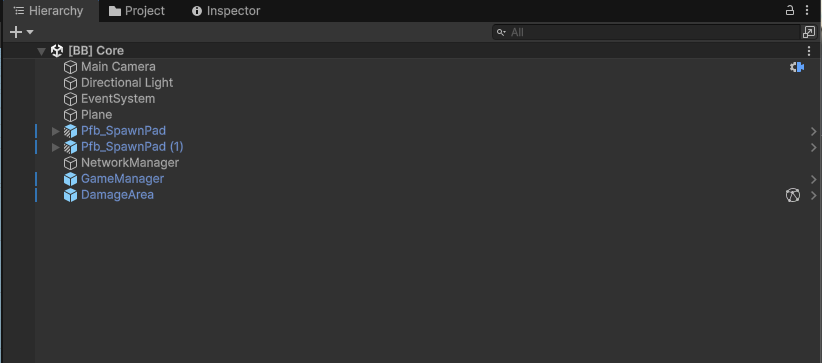
- SpawnPads: Points where players appear on join or respawn.
- NetworkManager: Handles the connection transport and handles player spawning.
- GameManager: Controls the Game Loop (rules, scoring, respawn timers).
- Interactive Objects: (e.g., DamageArea) Objects that interact with the player's stats.
Next Steps
Ready to test? Go to Playing Sample Scenes to start running the game!