Project Settings
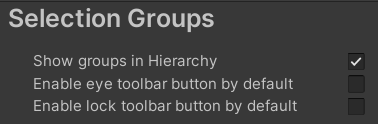
The Selection Group item in Project Settings is used to set the following settings:
| Settings | Description |
|---|---|
| Show groups in Hierarchy | Show/hide group GameObjects in the hierarchy. |
| Enable eye toolbar button by default | Enable eye toolbar item in the Selection Groups Window for newly created groups. |
| Enable lock toolbar button by default | Enable lock toolbar item in the Selection Groups Window for newly created groups. |