Introduction to the Texture Maker sample
Important
This experimental package is deprecated and no longer supported as of Unity version 6.4. Unity Graph Toolkit is included as a module in the Editor as of Unity version 6.4 and later, and does not require a separate installation. You can find the samples and accompanying documentation in the Unity Graph Toolkit samples package com.unity.graphtoolkit-samples.
About the sample
Texture Maker sample demonstrates how to build a Unity Graph Toolkit graph tool where the graph asset works with a Scripted Importer rather than using Unity's built-in .asset files. The sample features a basic texture generation graph tool to showcase these concepts.
Learn how to:
- Create a new graph tool with Graph Toolkit
- Implement a custom graph asset using Scripted Importers
- Design and build custom nodes
- Override the
OnGraphChangedmethod to display errors and warnings directly in the graph editor
Note
This sample serves as a learning resource only and lacks the features of a production texture creation tool. The architecture prioritizes clarity and educational value over comprehensive functionality.
About the Texture Maker graph tool
Texture Maker lets you create textures through a node-based graph interface.
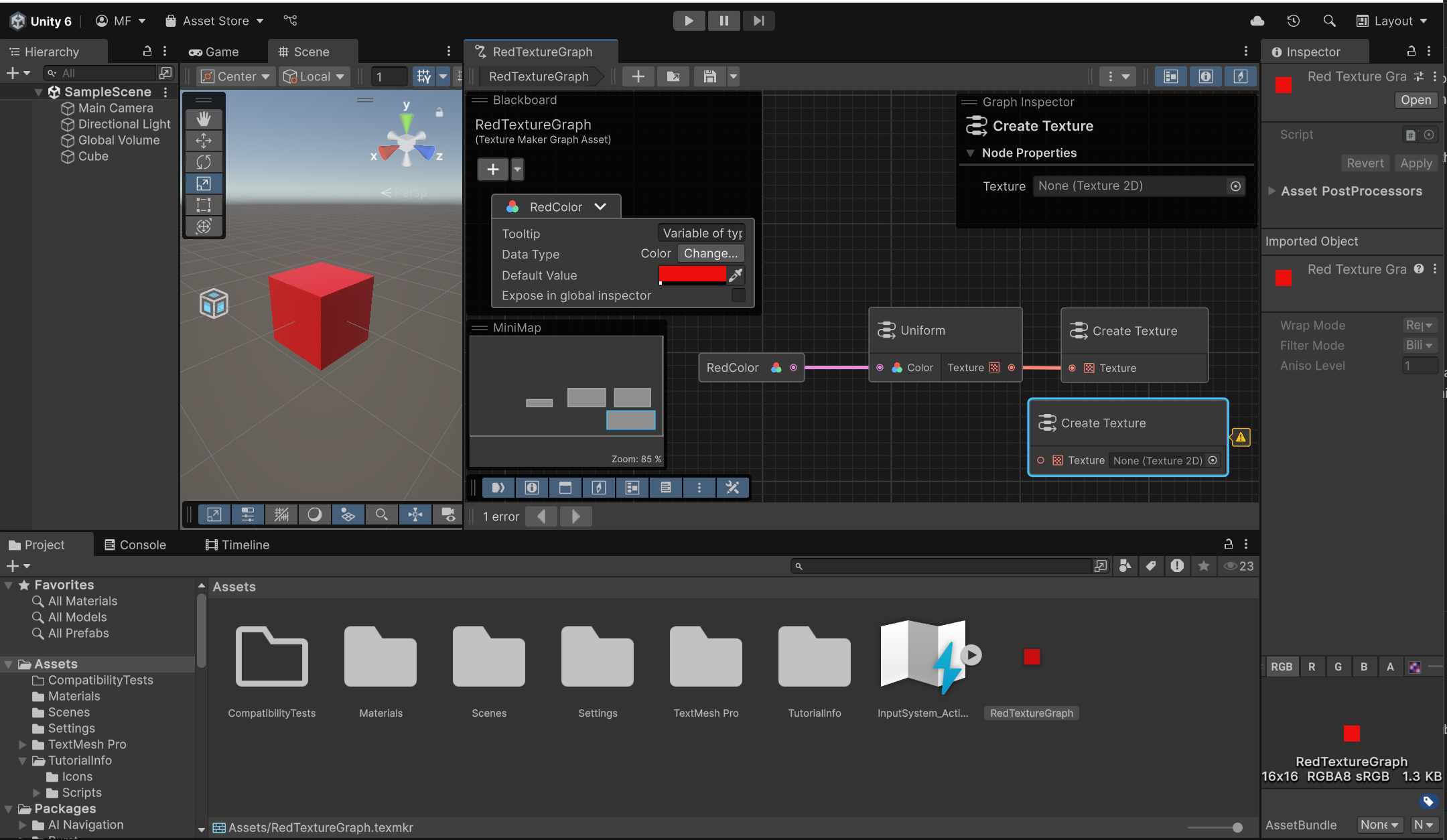
The tool contains three types of nodes:
- Uniform nodes - Produce the corresponding uniform texture when you select a color,
- MeanColor nodes - Compute the mean color of the input textures,
- CreateTexture nodes - Serve as the final point in the texture graph, where the texture is computed and evaluated.
Texture Maker graph asset contains a texture, which means that you can drag it onto a scene object to apply it.
A graph supports only one CreateTexture node. Additional CreateTexture nodes trigger warning flags, and only the first one functions.
Here's a first simple task to get you started:
- Add a passthrough node to the graph. This node can take a texture as input and output the same texture.
And here are some ideas for extending this sample and getting more familiar with Graph Toolkit:
- Add more nodes to the graph, such as a clamp node, noise node, or a gradient node,
- Allow the user to change the texture resolution,
- Add basic math nodes to the graph, such as add, subtract, multiply, and divide,
- Instead of picking the first CreateTexture node, check the first CreateTexture node that is connected to an evaluable node.