Use case: Integrate authentication in your scene
This section explains how to set up your scene to integrate an authentication layer to communicate with Unity Cloud services.
Before you start
- Follow the Installation instructions.
- Follow the Get started instructions.
- Follow the Best practices: dependency injection guide.
How do I...?
Instantiate an ICompositeAuthenticator in PlatformServices
To instantiate an ICompositeAuthenticator interface in the PlatformServices class, follow these steps:
- Create an
IAuthenticationPlaformSupport, and anIHttpClientinterface, then get the references to anIAppIdProviderandIAppNamespaceProviderinterfaces from theUnityCloudPlayerSettings.Instancesingleton. - Inject them in the
ServiceConnectorFactory.Createmethod to build anICompositeAuthenticator. - Add the following references to the created instance of the
ICompositeAuthenticator:- A private reference
- A public reference
- Initialize the
ICompositeAuthenticatorand any other services in theInitializeAsyncmethod. - Shutdown the
ICompositeAuthenticatorand any other services in theShutdownmethod.
public static class PlatformServices
{
    static ICompositeAuthenticator s_CompositeAuthenticator;

    public static ICompositeAuthenticator CompositeAuthenticator => s_CompositeAuthenticator;

    public static async Task InitializeAsync()
    {
        var platformSupport = PlatformSupportFactory.GetAuthenticationPlatformSupport();
        var httpClient = new UnityHttpClient();
        var playerSettings = UnityCloudPlayerSettings.Instance;

        var serviceConnector = ServiceConnectorFactory.Create(platformSupport, httpClient, playerSettings, playerSettings);

        s_CompositeAuthenticator = serviceConnector.CompositeAuthenticator;

        await s_CompositeAuthenticator.InitializeAsync();
    }

    public static void Shutdown()
    {
        (s_CompositeAuthenticator as IDisposable)?.Dispose();
        s_CompositeAuthenticator = null;
    }

 }
Tie the ICompositeAuthenticator with UI
If your application needs to support the interactive login flow, create a login UI and link it to the IUrlRedirectionAuthenticator methods to achieve interactive login and logout.
Note
The ICompositeAuthenticator interface that was created using the ServiceConnectorFactory.Create method can activate the interactive flow or the service account flow. So, it's not guaranteed that the activated flow is the interactive one. This means that some parts of the UI need to be hidden or disabled from code depending on the situation. Validate this by checking the value of the ICompositeAuthenticator.RequiresGUI property when managing a UI element.
Create Login and Logout buttons in your scene.
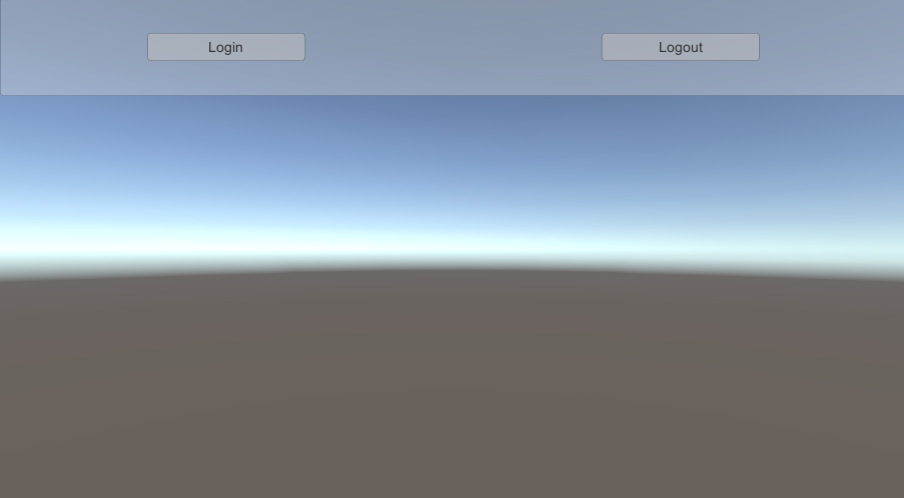
Create a LoginManager GameObject and attach a new LoginManager monobehavior to it. This script links your UI with Identity's authentication engine.
Update the
LoginManagerscript so it references your buttons and anIAuthenticationStateProviderinterface.Update the
Awakemethod to do the following:- Retrieve the
ICompositeAuthenticatorreference fromPlatformServices. - Subscribe to the
AuthenticationStateChangedevent. - Subscribe to the buttons'
onClickevents. - Call
ApplyAuthenticationStateto update the UI when the scene loads.
- Retrieve the
Make sure the subscriptions are cleaned up in
OnDestroy.Implement the
ApplyAuthenticationStatemethod to update your buttons based on the current authentication state. Make your buttons interactive in specific circumstances, otherwise you risk errors and exceptions. To determine if you should display your buttons, rely on theAuthenticationStateand theRequiresGUIproperty that determines whether the UI is relevant in the selected authentication flow.Define the behaviors for your buttons by calling the appropriate methods.
Note
Only an interactive login flow, like the one exposed by the
IUrlRedirectionAuthenticatorinterface, requires these methods. If the flow isn't interactive, callingLoginAsyncorLogoutAsyncthrows exceptions.Test your scene to see how the buttons update along with the authentication state of the user.
public class LoginManager : MonoBehaviour
{
    [SerializeField]
    Button m_LoginButton;

    [SerializeField]
    Button m_LogoutButton;

    ICompositeAuthenticator m_CompositeAuthenticator;

    void Awake()
    {
        m_CompositeAuthenticator = PlatformServices.CompositeAuthenticator;
        m_CompositeAuthenticator.AuthenticationStateChanged += ApplyAuthenticationState;

        m_LoginButton.onClick.AddListener(new UnityEngine.Events.UnityAction(OnLoginButtonClick));
        m_LogoutButton.onClick.AddListener(new UnityEngine.Events.UnityAction(OnLogoutButtonClick));
    }

    void Start()
    {
        ApplyAuthenticationState(m_CompositeAuthenticator.AuthenticationState);
    }

    void OnDestroy()
    {
        m_CompositeAuthenticator.AuthenticationStateChanged -= ApplyAuthenticationState;

        m_LoginButton.onClick.RemoveAllListeners();
        m_LogoutButton.onClick.RemoveAllListeners();
    }

    void ApplyAuthenticationState(AuthenticationState state)
    {
        switch (state)
        {
            case AuthenticationState.LoggedOut:
                m_LoginButton.interactable = m_CompositeAuthenticator.RequiresGUI;
                m_LogoutButton.interactable = false;
                break;
            case AuthenticationState.LoggedIn:
                m_LoginButton.interactable = false;
                m_LogoutButton.interactable = m_CompositeAuthenticator.RequiresGUI;
                break;
            case AuthenticationState.AwaitingInitialization:
            case AuthenticationState.AwaitingLogin:
            case AuthenticationState.AwaitingLogout:
                m_LoginButton.interactable = false;
                m_LogoutButton.interactable = false;
                break;
        }
    }

    async void OnLoginButtonClick()
    {
        await m_CompositeAuthenticator.LoginAsync();
    }

    async void OnLogoutButtonClick()
    {
        await m_CompositeAuthenticator.LogoutAsync();
    }
}
Leverage the authorization headers to communicate with other Unity Cloud services
After you set up your login flow, communication with other Unity Cloud services is possible. All Unity Cloud services expect an instance of IServiceAuthorizer to apply authorization information to HTTP requests, which the PlatformServices class provides.
See an example of a service that expects an IServiceAuthorizer.