Use case: Get user information
This section explains how to set up your scene to get information about your application's user.
Getting user information is an example of a Unity Cloud service that you can call after authenticating the user in your application. This service needs an access token to identify the user and authorize the call.
Before you start
Before you use this sample, integrate authentication in your scene.
How do I...?
Create references to IAuthenticator-inherited interfaces
The CompositeAuthenticator class, like all IAuthenticator implementations, inherits the IServiceAuthorizer, IAuthenticationStateProvider, IUserInfoProvider, and IOrganizationRepository interfaces.
Create an instance of the CompositeAuthenticator and use it to reference all inherited interfaces.
readonly IAuthenticator m_CompositeAuthenticator;
IServiceAuthorizer m_ServiceAuthorizer => m_CompositeAuthenticator;
IUserInfoProvider m_UserInfoProvider => m_CompositeAuthenticator;
IAuthenticationStateProvider m_AuthenticationStateProvider => m_CompositeAuthenticator;
IOrganizationRepository m_OrganizationRepository => m_CompositeAuthenticator;
Leverage the IUserInfoProvider in your scene
To leverage the IUserInfoProvider in your scene, follow these steps:
In your scene, create a
Textfield that displays the current authentication state (or the username if the user is logged in).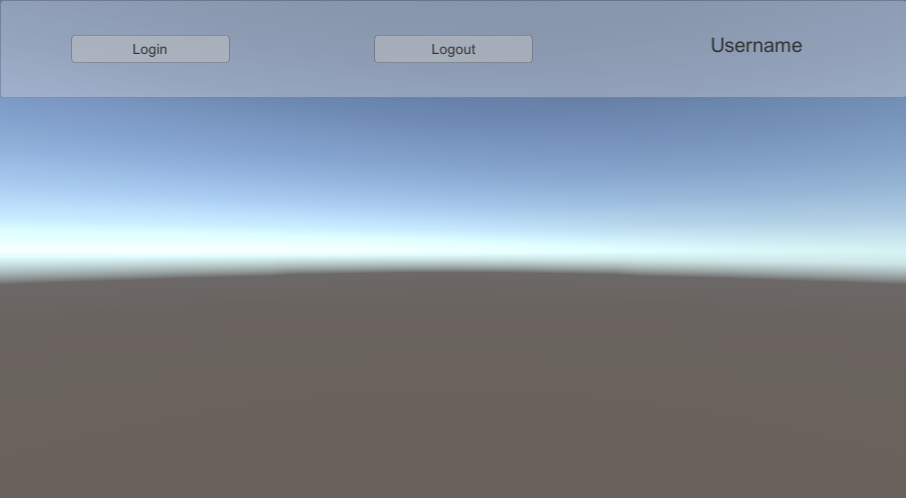
Create a
UserNameUpdaterscript and attach it to the LoginManager GameObject. This script fills the text with the correct values based on the authentication state.Update the
UserNameUpdaterclass so it references yourTextfield,IAuthenticator, andIUserInfoProvider.
[SerializeField]
Text m_UserInfoText;

ICompositeAuthenticator m_CompositeAuthenticator;
IAuthenticationStateProvider m_AuthenticationStateProvider => m_CompositeAuthenticator;
IUserInfoProvider m_UserInfoProvider => m_CompositeAuthenticator;
IUserInfo m_UserInfo;
- The
AwakeandDestroymethod managesPlatformServicesreferences and events. The asyncStartmethod applies the initial authentication state.
void Awake()
{
    m_CompositeAuthenticator = PlatformServices.CompositeAuthenticator;
    m_AuthenticationStateProvider.AuthenticationStateChanged += OnAuthenticationStateChanged;
}

async Task Start()
{
    await ApplyAuthenticationState(m_AuthenticationStateProvider.AuthenticationState);
}

void OnDestroy()
{
    m_AuthenticationStateProvider.AuthenticationStateChanged -= OnAuthenticationStateChanged;
}
- The
OnAuthenticationStateChangedmethod updates the text based on the current authentication state, and theIUserInfoProvider.GetUserInfoAsyncmethod can be called when the user is logged in.
async void OnAuthenticationStateChanged(AuthenticationState state)
{
    await ApplyAuthenticationState(state);
}

async Task ApplyAuthenticationState(AuthenticationState state)
{
    switch (state)
    {
        case AuthenticationState.AwaitingInitialization:
        case AuthenticationState.AwaitingLogout:
        case AuthenticationState.LoggedOut:
            m_UserInfoText.text = "...";
            break;
        case AuthenticationState.AwaitingLogin:
            m_UserInfoText.text = "Awaiting completion of a user initiated manual login operation...";
            break;
        case AuthenticationState.LoggedIn:
            m_UserInfo = await m_UserInfoProvider.GetUserInfoAsync();
            BuildUserInfoText();
            break;
    }
}

void BuildUserInfoText()
{
    var sb = new StringBuilder();
    sb.Append(m_UserInfo.Name);
    sb.Append(m_CompositeAuthenticator.RequiresGUI
        ? " is logged in with an access token issued after a successful user initiated login operation."
        : " is logged in with an access token read from the browser local storage.");
    m_UserInfoText.text = sb.ToString();
}
- Select Play. The text updates based on the authentication state.
Inject an IServiceAuthorizer in ServiceHttpClient to access resources on Unity Cloud
Because all IAuthenticator implentations inherit the IServiceAuthorizer interface, you can inject a reference from any
IAuthenticator class implementation, like the ServiceAccountAuthenticator, into the ServiceHttpClient constructor method as a valid IServiceAuthorizer.
You can inject the ServiceHttpClient then in any class of other Unity.Cloud Unity packages to access resources on Unity Cloud.
var platformSupport = PlatformSupportFactory.GetAuthenticationPlatformSupport();
var httpClient = new UnityHttpClient();
var playerSettings = UnityCloudPlayerSettings.Instance;
var serviceHostResolver = ServiceHostResolverFactory.Create();

var serviceAccountAuthenticatorSettingsBuilder =
    new ServiceAccountAuthenticatorSettingsBuilder(httpClient, serviceHostResolver, platformSupport)
        .SetAppIdProvider(playerSettings);

m_ServiceAccountAuthenticator = new ServiceAccountAuthenticator(serviceAccountAuthenticatorSettingsBuilder.Build());

m_ServiceHttpClient = new ServiceHttpClient(httpClient, m_ServiceAccountAuthenticator, playerSettings);

// Injecting the ServiceHttpClient to build an authorized IAssetRepository to retrieve IAsset, IDataset, ... from Unity Cloud.
m_AssetRepository = AssetRepositoryFactory.Create(m_ServiceHttpClient, serviceHostResolver);