9-slicing
9-slicing is a 2D technique that allows you to resize a sprite without creating multiple sprites for all the different sizes.
To use 9-slicing, you create a sprite with nine sections. The different sections stretch or repeat in different ways to keep the sprite in proportion.
9-slicing is useful for creating patterns, walls, or floors in a 2D environment.
Note: You can only use a Box Collider 2D or Polygon Collider 2D component to add a collision shape to a 9-sliced sprite. For more information, refer to 9-slice a sprite.
9-slicing modes
If you don’t use 9-slicing, the entire sprite stretches when you change its dimensions.
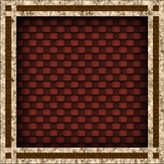
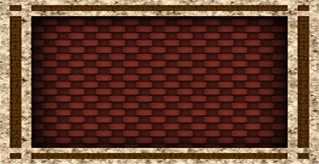
With 9-slicing, you can resize the sprite using sliced mode or tiled mode.
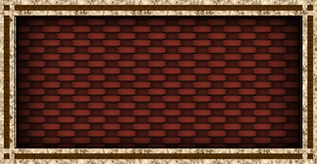
Sliced
In sliced mode, the sprite does the following:
- The corners stay the same size.
- The top and bottom borders of the sprite stretch only horizontally.
- The left and right borders of the sprite stretch only vertically.
- The center stretches horizontally and vertically.
Tiled
In tiled mode, the sprite does the following:
- The corners stay the same size.
- The top and bottom borders of the sprite repeat horizontally.
- The left and right borders of the sprite repeat vertically.
- The center repeats horizontally and vertically.
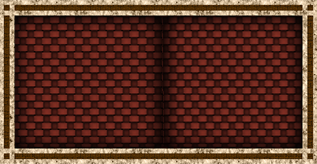
You can control how Unity repeats the texture across the resized sprite. For more information, refer to 9-slice a sprite.
Additional resources
- Import a sprite or texture
- Set background images in the UI Toolkit documentation.