Project Auditor introduction
Project Auditor is a tool that analyzes your project for any issues which it groups into the following areas:
- Code: A list of issues that affect performance, memory usage, Editor iteration times, and other areas related to the code in your project.
- Assets: A list of assets with import settings or file organization that impacts startup times, runtime memory usage, or performance.
- Shaders: Lists shaders, shader variants, and Materials that exist in the project and any compiler messages that appeared during the build process.
- Game Objects: Identifies issues with GameObjects in Scenes or Prefabs.
- Project: A list of problems that might affect performance, memory, and other areas related to the settings in your project.
- Build: How long each step of the last clean build took, the assets included in it.
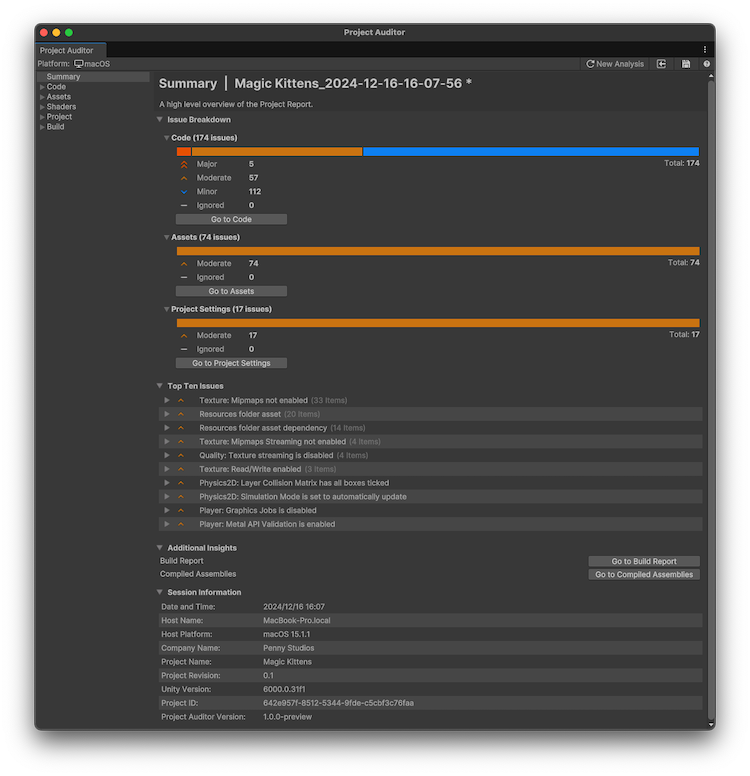
To open Project Auditor, go to Window > Analysis > Project Auditor. The Project Auditor displays the Welcome view where you can configure the analysis and install or update the Project Auditor Rules package. For more information, refer to Analyze your project.
Note: If you’re using a version of Unity older than 6.4, then you must install Project Auditor through the Package Manager window. For more information, refer to Project Auditor package documentation.
By default, Project Auditor performs a full analysis of your project with the target analysis platform set to the same build target in the Build Settings window. Code analysis runs on the main player assemblies. You can adjust the default settings in the Preferences window.