Template フォーマッター
Template Formatter (Template フォーマッター) を使用すると、再使用可能なテンプレートを登録し、それを名前で使用することができます。 テンプレートは、複数の Smart String にわたって特定の方法でテキストの書式設定を行いたい場合に役立ちます。文字列の修正が必要な場合に、テンプレート内で修正するだけで済みます。
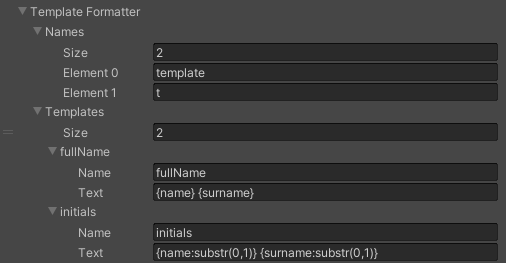
| Smart String の例 | テンプレート | 引数 | 結果 |
|---|---|---|---|
| The initials are {0:template(initials)} | initials = {name:substr(0,1)}} {surname:substr(0,1)} |
|
The initials are L C |
| Hello {0.template(fullName)} | fullName = {name} {surname} |
|
Hello Lara Croft |
| The name is {name:t(highlight)}. | highlight* = <color=red>{}</color> |
|
The name is <color=red>Lara</color>. |
| The name is {surname:t(highlight)}. | highlight* = <color=red>{}</color> |
|
The name is <color=red>Croft</color>. |
* スコープ内で現在の値を使用するには、空のプレースホルダー {} を使用します。