Hand Tracking Subsystem OpenXR feature
Unity provides support for the Hand Tracking OpenXR extension specified by Khronos. Use this feature to have Unity manage and update an XRHandSubsystem. To receive updates from the subsystem, subscribe to the XRHandSubsystem.updatedHands event.
This extension requires you to install the OpenXR Plugin package. For this extension to work when deployed to a Meta Quest device, the OpenXR Plugin package version must be 1.6.0 or newer.
For background information about the Hand Tracking extension, refer to the OpenXR Specification: XR_EXT_hand_tracking.
Feature Settings
| Property | Description |
|---|---|
| Auto Start Subsystem | If enabled (default), the XRHandSubsystem is automatically created and started when the OpenXR session begins. Disable this to defer subsystem creation until you are ready to start hand tracking. For more information, refer to Deferred Initialization. |
To access this property, click the gear icon next to Hand Tracking Subsystem in Project Settings > XR Plug-in Management > OpenXR.
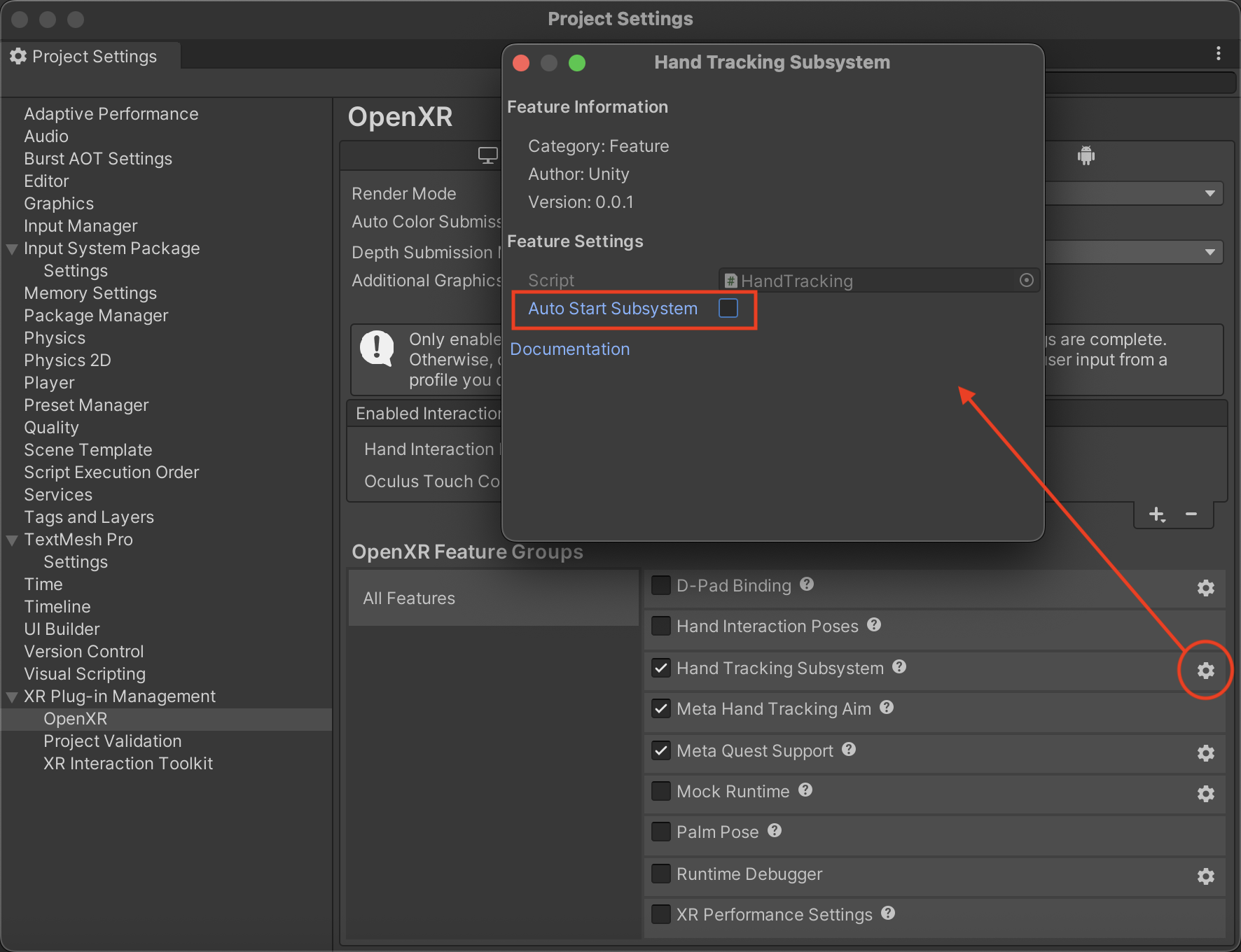
Feature settings for Hand Tracking