Configuring AR Camera Background with a Scriptable Render Pipeline
AR Foundation supports the Universal Render Pipeline (URP) versions 7.0.0 or later.
Note: Projects made using URP are not compatible with the High Definition Render Pipeline or the built-in Unity rendering pipeline. Before you start development, you must decide which render pipeline to use in your Project.
See the URP Install and Configure documentation for more details on switching to URP.
Basic Configuration for SRP with AR Foundation
In the project's Assets folder, create a new folder named "Rendering".
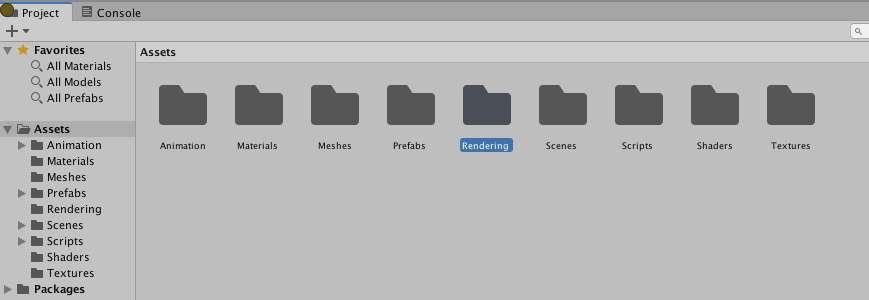
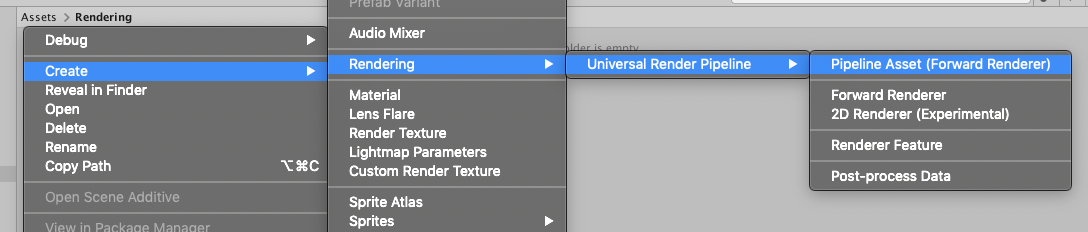
In the Assets > Rendering folder, create a
Pipeline Asset (Forward Renderer)for your SRP.- Choose Create > Rendering > Universal Render Pipeline > Pipeline Asset (Forward Renderer).
- Note that this will create two assets: an UniversalRenderPipelineAsset and a ForwardRenderer.
In the Inspector with the
ForwardRendererselected, add anARBackgroundRendererFeatureto the list of Renderer Features.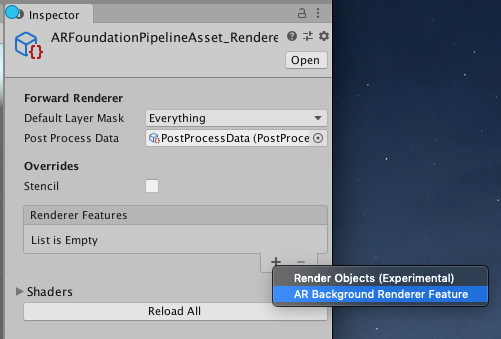
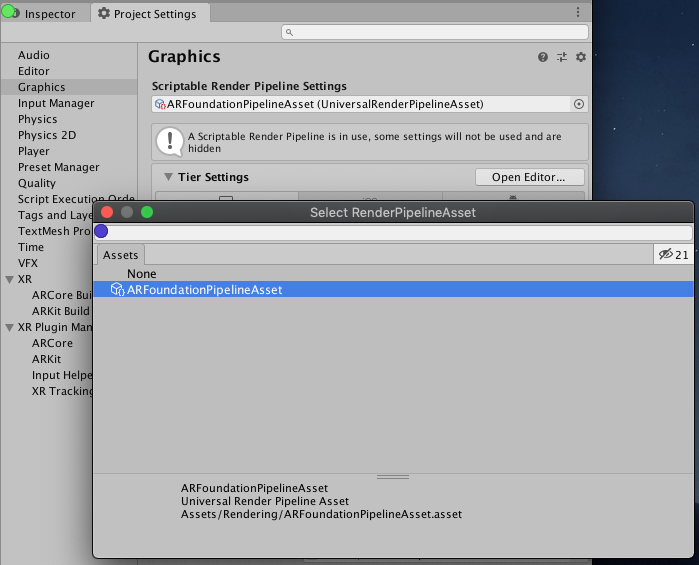
In Project Settings > Graphics, select the
UniversalRenderPipelineAssetfor the Scriptable Render Pipeline Settings field.