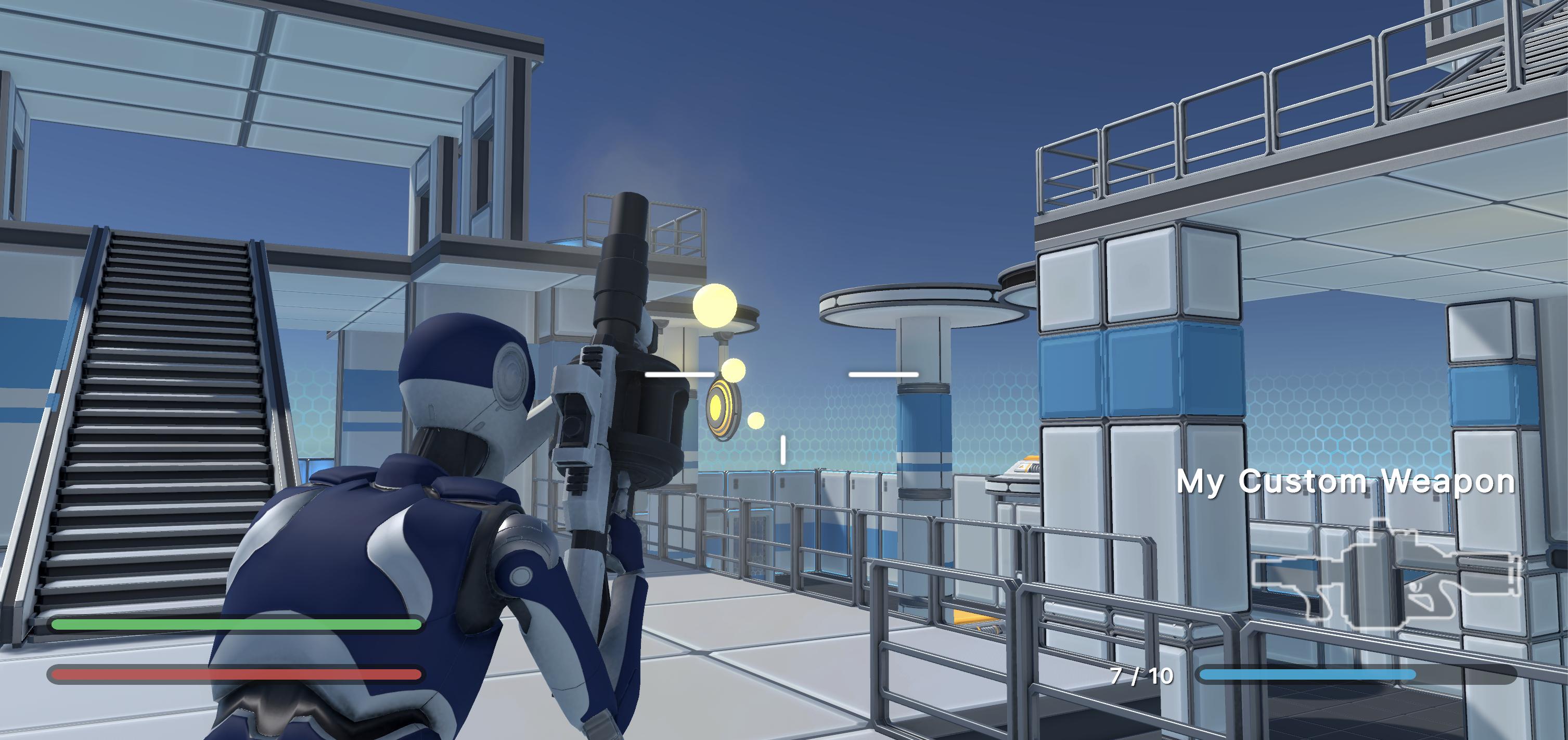
Creating a Custom Weapon
In this tutorial, we will create a custom weapon by modifying an existing one. We will turn the standard Grenade Launcher into a burst-fire weapon.
1. Create the Weapon Prefab
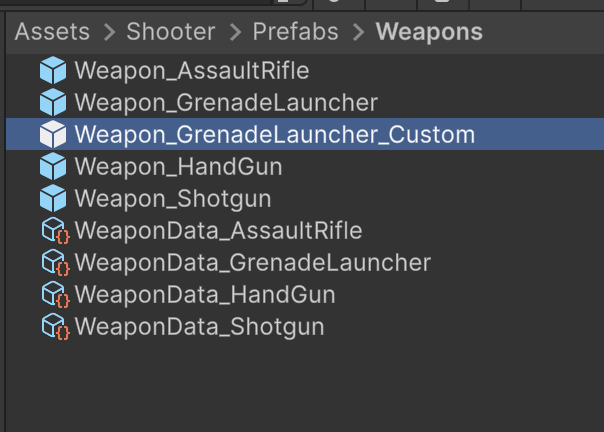
- Navigate to the
Assets > Shooter > Prefabs > Weaponsfolder. - Duplicate the Weapon_GrenadeLauncher prefab
- Rename the new prefab to Weapon_GrenadeLauncher_Custom.
2. Customize the Weapon Logic
- Open the Weapon_GrenadeLauncher_Custom prefab.
- Select the "Weapon" object in the Hierarchy.
- In the Inspector, locate the
Modular Weaponcomponent. - Under Modular Behaviors, change the Firing Mechanism to
BurstMechanism.
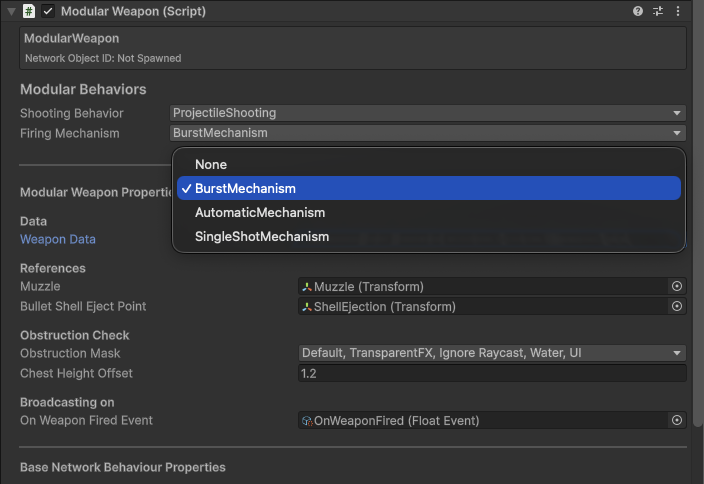
This will automatically add the BurstMechanism component to your weapon.
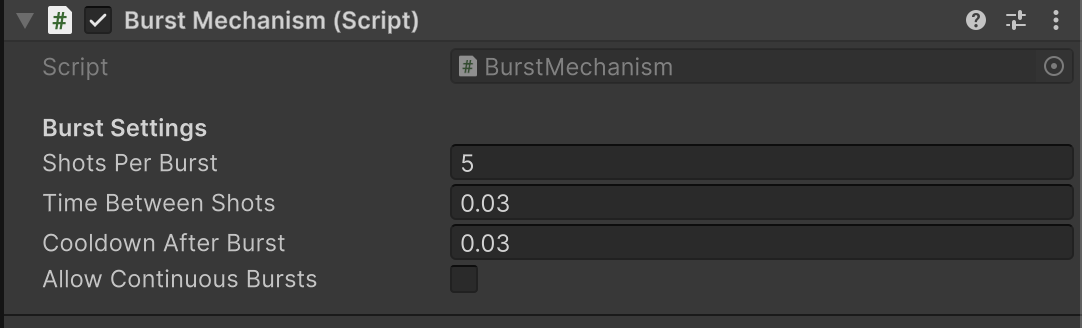
- Locate the
Burst Mechanismcomponent in the Inspector. - Update the settings to the following values:
- Shots Per Burst:
5 - Time Between Shots:
0.03 - Cooldown After Burst:
0.03 - Allow Continuous Bursts: Unchecked
- Shots Per Burst:
3. Create the Weapon Data
- In the same folder (
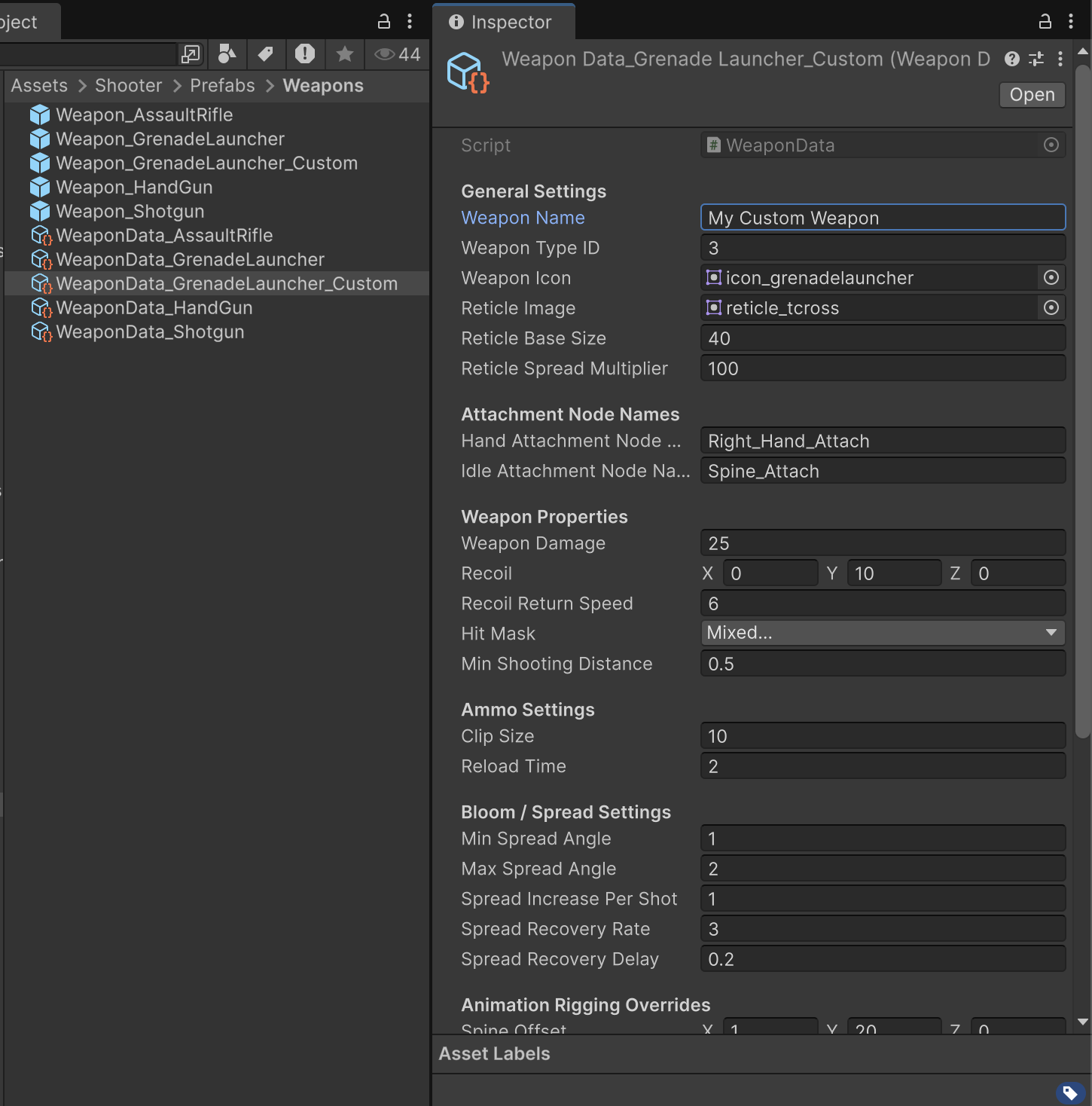
Assets > Shooter > Prefabs > Weapons), find WeaponData_GrenadeLauncher. - Duplicate it and rename the copy to WeaponData_GrenadeLauncher_Custom.
- Select the new asset and in the Inspector, change the Weapon Name to "My Custom Weapon".
4. Add to Modular Weapon
- Select the Weapon_GrenadeLauncher_Custom prefab.
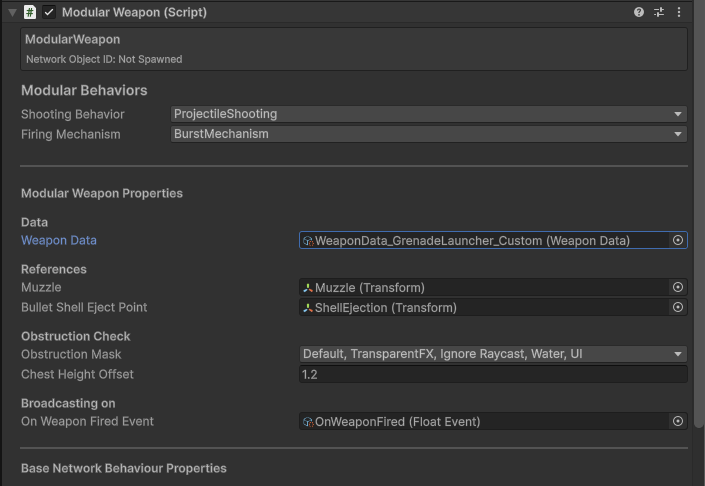
- In the Inspector, locate the
Modular Weaponcomponent. - Under Modular Behaviors, change the Weapon Data to
WeaponData_GrenadeLauncher_Custom.
You now have a custom burst-fire weapon prefab!
5. Add to Loadout
Now we need to add this weapon to the player's starting loadout.
- Navigate to
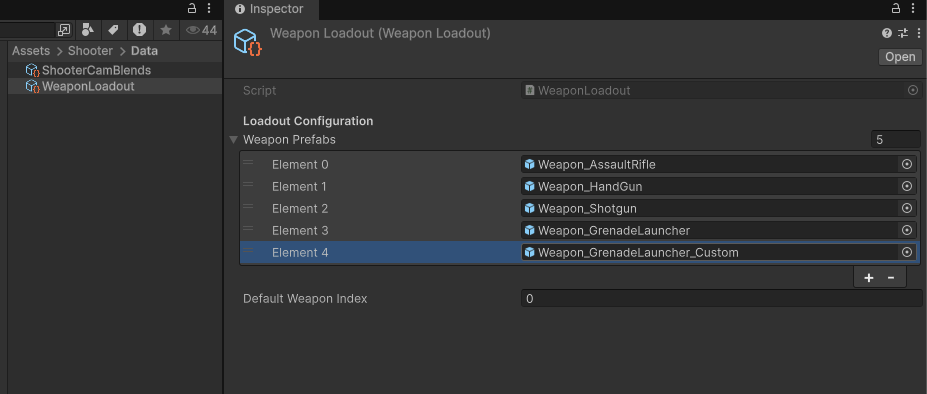
Assets > Shooter > Data. - Select the WeaponLoadout asset.
- In the Inspector, click the + button under Weapons to add a new slot.
- Add your new weapon to the loadout.
6. Test the Weapon
- Open the [BB] Shooter scene.
- Enter Play Mode.
- Cycle through your weapons to find My Custom Weapon.
- Test out the new burst fire mechanic!