Creating a Jump Pad
This tutorial explains how to create a Jump Pad that launches a player into the air when they step on it. You will use the ModularInteractable system to combine effects like applying force, shaking the camera, and playing visual effects.
Prerequisites: Open the Core scene.
Steps
Create the Object
- Create a new 3D object (e.g., a Cube) in your scene to represent the Jump Pad.
- Ensure it has a Box Collider.
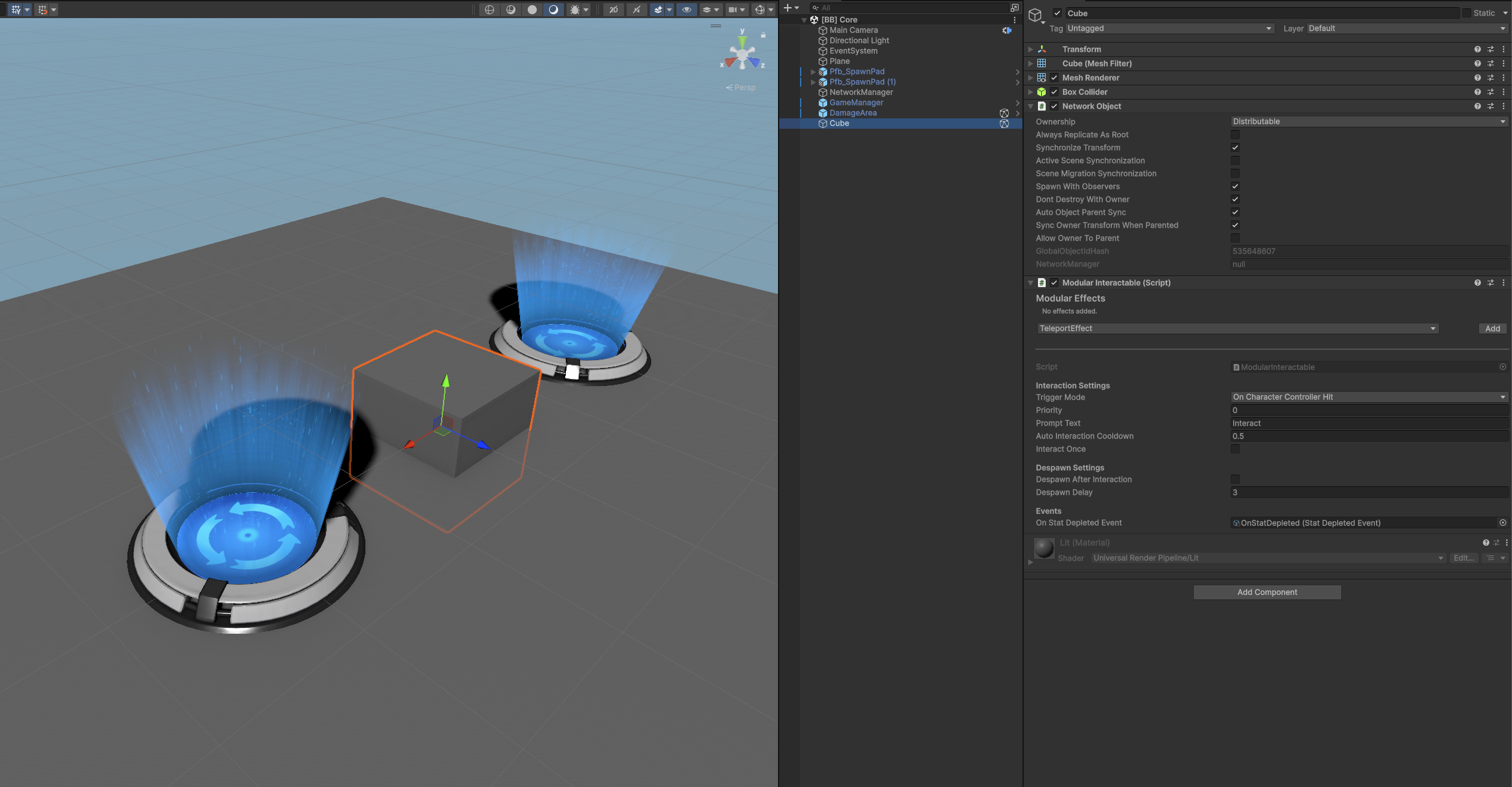
- Add a NetworkObject component to it. This is required for networked interactions. Make sure the settings match the image below.
Add the Modular Interactable Component
- Add the ModularInteractable component to your object.
- Trigger Mode: Set this to On Character Controller Hit. This ensures the interaction happens when a player character touches the pad.
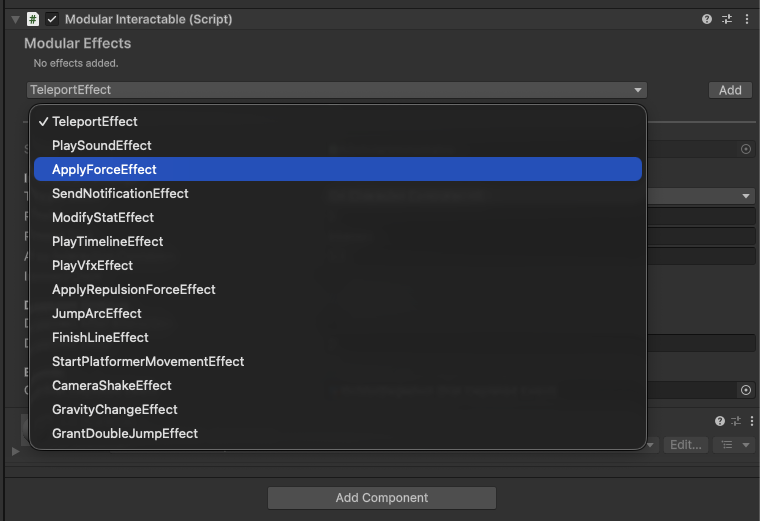
Add Interaction Effects In the Modular Effects section of the inspector, click the dropdown to add the following effects:
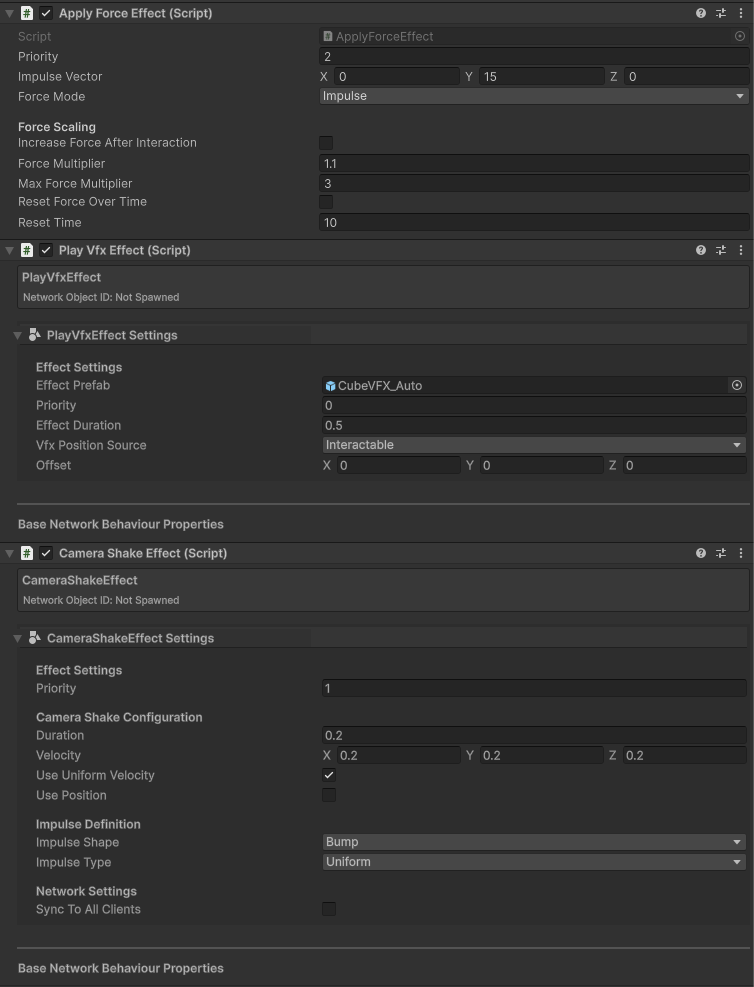
- Apply Force Effect:
- Force Mode:
Impulse - Force Vector: set
Yto15(or desired height).
- Force Mode:
- Camera Shake Effect:
- Adds impact feel when launching.
- Play Vfx Effect:
- Assign a particle prefab to play when triggered.
- Apply Force Effect:
Test in Multiplayer
- Enter Play Mode.
- Walk your character onto the Jump Pad. You should be launched into the air with the accompanying visual and camera shake effects.
- The interaction itself is networked and will work in multiplayer.
- Each effect can be configured to be networked or not.
- Example: Camera Shake Effect is not networked by default since you don't want the camera shake to be felt by other players. You can make it networked by checking the Sync to all clients checkbox. Needed for effects that should be felt by all players.
Analyzing Examples
To see how existing Jump Pads are configured:
Open the [BB] Platformer scene.
Search for
t: ModularInteractablein the Hierarchy or look for theInteractableObjectsgameobject.Inspect objects like JumpPad to see their components and settings.