Custom Function Node
Use the Custom Function Node to inject your own custom HLSL code in Shader Graphs to do some fine-grained optimization, for example.
You can either write small functions directly into graphs by using the string mode, or reference external HLSL files. Use the Custom Port Menu to define your own input and output ports on the node itself.
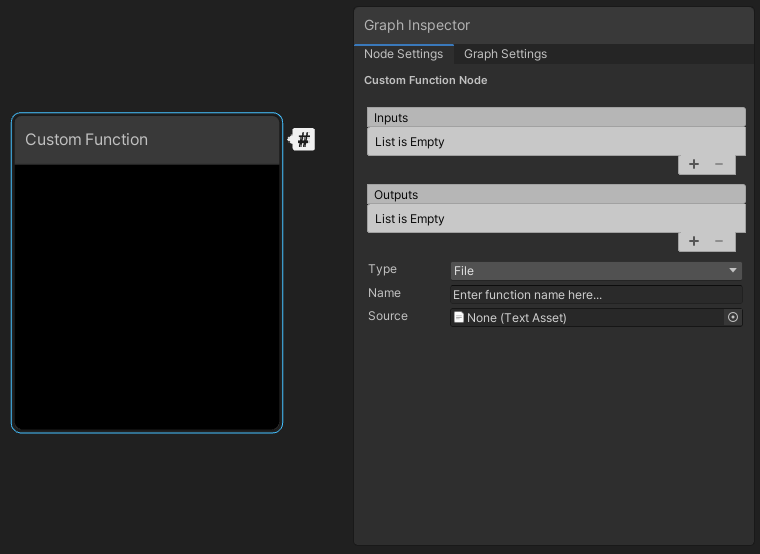
| Property | Description |
|---|---|
| Inputs | Define the node's input ports. The names you enter here define the names for the input values you use in the code. |
| Outputs | Define the node's output ports. The names you enter here define the names for the output values you use in the code. |
| Type | Select the way to reference the custom function in the node. The options are:
|
| Name | The name of the custom function in the code, without the function precision suffix _half or _float . |
| Source | When you set Type to File, the reference to the HLSL file that includes the custom functions. The file can be anywhere in your Unity project and must have the .hlsl extension. For more details, refer to file content syntax. |
| Body | When you set Type to String, the HLSL code that defines the contents of the custom functions. Unity handles the arguments, braces, and indent scope automatically. |